You want a straight answer to this question: how long does it take to learn JavaScript for me. The honest answer depends on three things you control: your weekly study hours, your starting point, and your target (basics, projects, or a job). This guide gives you clear time ranges, a skill checklist, and a step-by-step plan you can follow without guessing.
Key Takeaways
- You can learn the basics of JavaScript in 2–6 weeks if you study 5–10 hours per week and practice daily.
- You can reach job-ready JavaScript in 4–9 months if you build projects and practice interviews each week.
- JavaScript feels hard at first because of async code, scope, and DOM events, but it becomes easier with small daily practice.
- You can learn JavaScript by yourself if you use a plan, write code every day, and ship projects that people can click and use.
- Your timeline gets faster when you focus on projects, debugging, and core concepts instead of watching long videos.
- The best way to know your timeline is to match your goal to a weekly schedule and track progress with a checklist.
What “Learn JavaScript” Means (So You Pick the Right Timeline)
People use the phrase “learn JavaScript” in different ways. One person means “I can write loops.” Another person means “I can build a React app and pass interviews.”
Your timeline depends on the meaning you choose.
Level 1: Basics (You can read and write simple code)
- You understand variables, types, and operators.
- You write if/else, loops, and functions.
- You use arrays and objects for simple data.
- You can solve small coding tasks and explain your code.
Level 2: Practical (You can build small web features)
- You use the DOM to change a page with JavaScript.
- You handle events like click, input, and submit.
- You fetch data from an API and show results.
- You use modules and basic tooling (npm, Vite, or similar).
Level 3: Job-ready (You can ship and maintain projects)
- You build 3–6 portfolio projects with clean code and README files.
- You understand async patterns, error handling, and debugging.
- You know Git, basic testing, and deployment.
- You can answer common interview questions and solve coding problems.
How Long Does It Take to Learn JavaScript for Me? (Timelines by Hours)
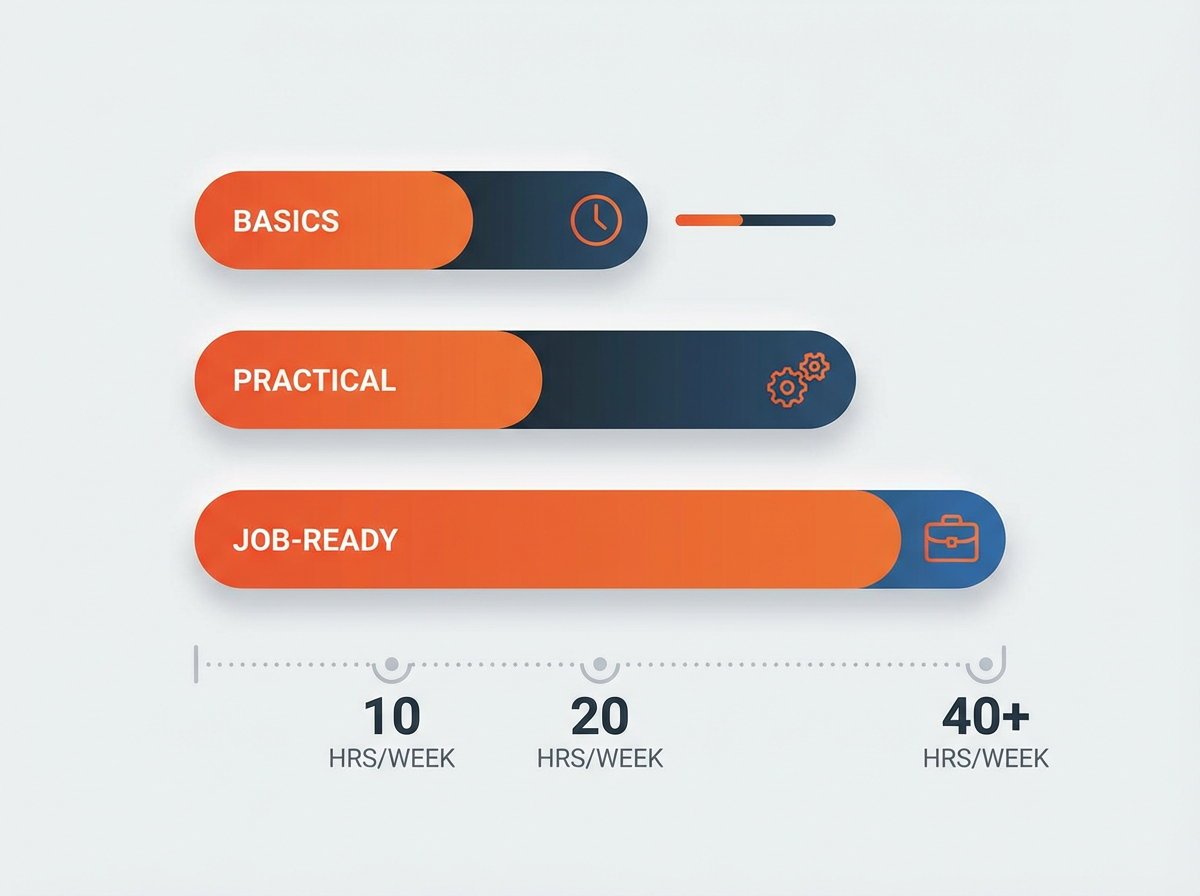
Your weekly hours decide your speed. Use the ranges below as a planning tool. These time ranges assume you practice by writing code, not only watching lessons.
I Strictly followed the Timeline table which is divided into 3 parts i.e. Basics (New concepts, New libraries, Revisions), Practical (Code mini apps, functions), Job-Ready (React apps, components, Hooks).
Timeline table (based on weekly study hours)
- 3–5 hours/week
- Basics: 4–10 weeks
- Practical: 3–5 months
- Job-ready: 8–14 months
- 6–10 hours/week
- Basics: 2–6 weeks
- Practical: 2–4 months
- Job-ready: 5–10 months
- 11–20 hours/week
- Basics: 1–4 weeks
- Practical: 6–10 weeks
- Job-ready: 4–7 months
- 25–40 hours/week (bootcamp pace)
- Basics: 1–2 weeks
- Practical: 4–8 weeks
- Job-ready: 3–6 months
These ranges fit most beginners. Your timeline can shift if you already know HTML and CSS, or if you already code in another language.
Youtube Makes it Easy and Free
I spent lot of time on Youtube which consumes my 90% of Screentime, There are many Youtube channels that I followed namely;
- Traversy Media – They’re incredible.
- Sonny Sangha for react, nextJS.
- FreeCodeCamp for full stack courses.
- Webdev simplified for regular JS Tricks.
Make sure you put it on practice daily otherwise you may forget easily.
Therefore, In total I started in 2015 and it took me about 2 years to start as professional career. If middle class boy from Indian village can, you can too ;)
How Long Does It Take to Learn the Basics of JavaScript?
If your goal is to learn the basics, you can move fast. You need repetition and short practice sessions. You also need a clear list of topics to cover.
Typical time range for JavaScript basics
- 2–6 weeks with 5–10 hours per week
- 1–4 weeks with 11–20 hours per week
- 6–10 weeks with 3–5 hours per week
Basics checklist (finish this to claim “I know the basics”)
- Variables: let, const, and basic rules
- Data types: string, number, boolean, null, undefined
- Operators: arithmetic, comparison, logical
- Control flow: if/else, switch
- Loops: for, while, for…of
- Functions: declarations, expressions, arrow functions
- Arrays: map, filter, reduce, find
- Objects: properties, methods, destructuring
- Scope basics: global vs local, block scope
- Debugging basics: console, breakpoints, reading errors
Mini projects that lock in the basics (do 3–5)
- A tip calculator
- A number guessing game
- A to-do list (console version first)
- A simple quiz app (questions in an array)
- A password strength checker (basic rules)
How Long Does It Take to Learn JavaScript to Get a Job?
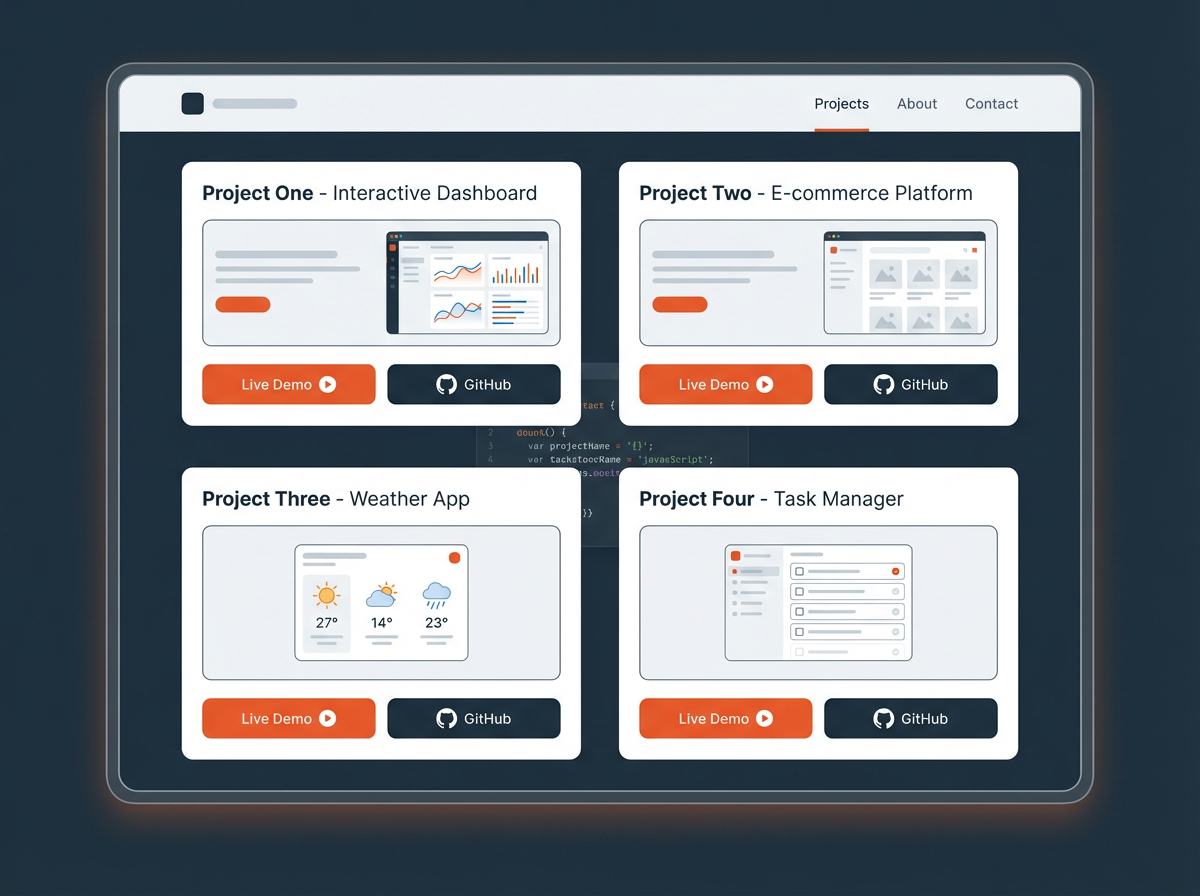
If your goal is a job, you need more than syntax. You need proof. Hiring teams want working projects, clear code, and basic teamwork skills like Git. For most beginners, a realistic range is 4–9 months with steady effort.
Job-ready timeline ranges (common scenarios)
- You know HTML/CSS already: 4–7 months at 10–15 hours/week
- You start from zero: 6–10 months at 10–15 hours/week
- You can study full-time: 3–6 months at 25–40 hours/week
- You study part-time only: 8–14 months at 3–5 hours/week
What “job-ready JavaScript” includes
- DOM skills: build forms, lists, modals, validation, and UI updates
- Async skills: fetch, promises, async/await, loading states, error states
- Data handling: arrays/objects, sorting, filtering, pagination basics
- Tooling: npm, modules, bundler basics, environment variables basics
- Git: branches, commits, pull requests (basic), conflict fixes (basic)
- Testing basics: unit tests for key functions or components
- Deployment: publish a project and share a live link
Portfolio targets that help you get interviews
- 3–6 projects that solve clear problems
- Each project has a live demo link and a GitHub repo
- Each repo has a short README with:
- What the app does
- Tech used
- How to run it
- Key features
Examples of job-ready projects (pick 3–4)
- A personal finance tracker with categories and charts
- A recipe finder that uses a public API and saves favorites
- A habit tracker with streaks and local storage
- A movie search app with filters, sorting, and pagination
- A small e-commerce cart with product list, cart, and checkout form validation
How Difficult Is It to Learn JavaScript?
JavaScript is beginner-friendly because you can run it in a browser and see results fast. JavaScript also has parts that confuse beginners. The difficulty depends on what you study first and how often you practice.
What feels easy for most beginners
- Basic syntax and simple functions
- Arrays and objects for small tasks
- DOM changes like updating text and toggling classes
What feels hard (and why)
- Async code: you must think in steps and handle delays
- Scope and closures: you must track where variables live
- this keyword: behavior changes based on how you call a function
- Debugging: errors feel unclear until you practice reading them
- DOM events: you must understand event targets and event flow
How you make JavaScript easier
- You write code every day for 20–60 minutes.
- You keep a small “error log” with the error message and the fix.
- You build small features before big apps.
- You review core topics each week (functions, arrays, objects, async).
Can I Learn JavaScript by Myself?
Yes. Many people learn JavaScript on their own and get hired. Self-learning works when you use structure and feedback. You need a plan, practice, and proof through projects.
What you need for self-study success
- A clear path: topics in order, with weekly goals
- Daily coding: short sessions beat rare long sessions
- Feedback: code reviews from peers, forums, or mentors
- Projects: real apps that show skill growth
- Consistency: a schedule you can keep for months
Self-study pitfalls (and fixes)
- Pitfall: you watch tutorials and avoid building
Fix: build after every lesson and change the requirements - Pitfall: you jump between courses
Fix: finish one path and track progress with a checklist - Pitfall: you fear mistakes
Fix: treat bugs as practice and write down the solution - Pitfall: you start with a huge app
Fix: start with small features and add one feature per day
A Practical Plan to Learn JavaScript Faster (Without Burning Out)
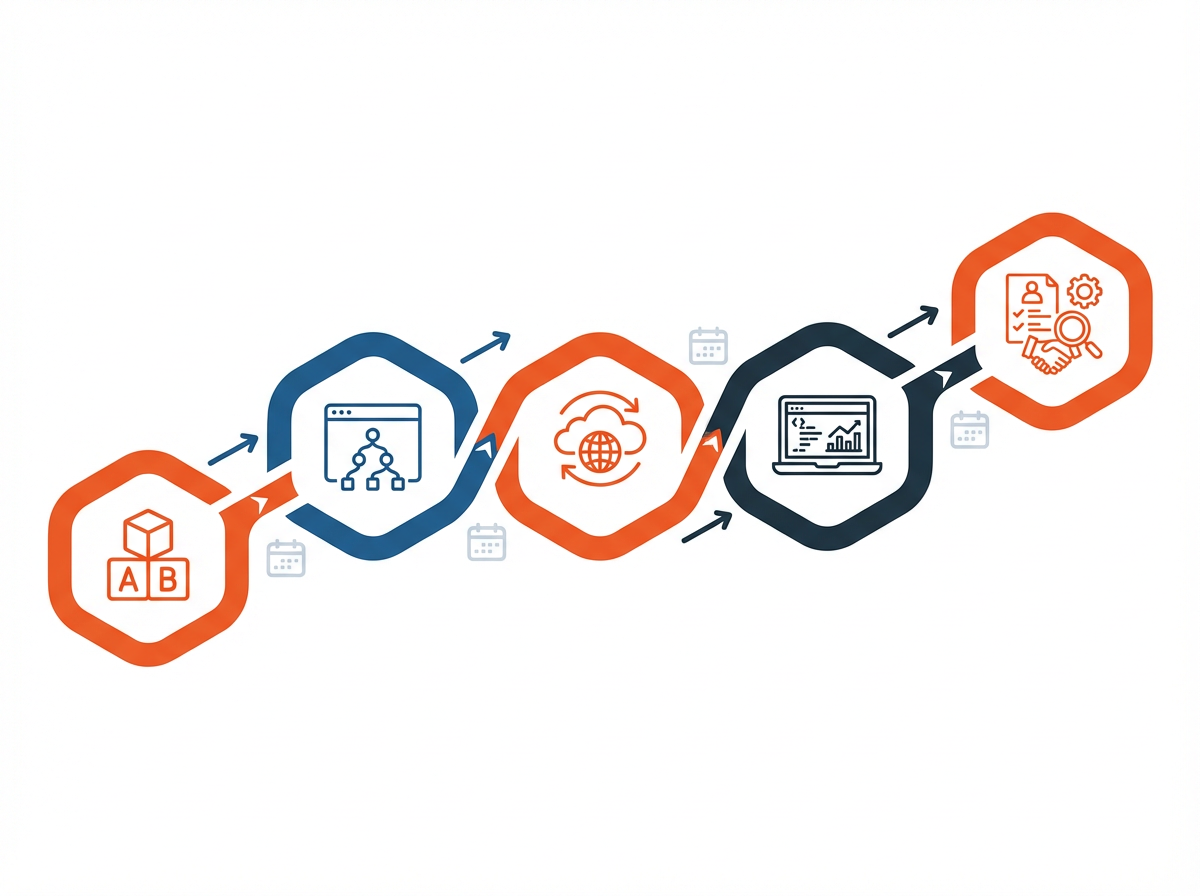
You need a plan that matches your time. This plan uses weekly blocks. Each block ends with a clear output. You can adjust the pace, but keep the order.
Weeks 1–2: Core basics + daily drills
- Learn variables, types, operators, and control flow
- Write 10–20 small exercises (10–15 minutes each)
- Use console.log and breakpoints for every exercise
Weeks 3–4: Functions + arrays + objects
- Write functions that take input and return output
- Practice array methods (map, filter, reduce) on real data sets
- Build 1–2 mini projects (quiz, calculator, simple tracker)
Weeks 5–8: DOM + events + forms
- Build UI features: add items, remove items, edit items
- Add form validation and user feedback messages
- Use localStorage for saving data
Weeks 9–12: Async JavaScript + APIs
- Learn promises and async/await with small examples
- Fetch API data and show loading and error states
- Build an API-based project (search, filters, details page)
Months 4–6: Portfolio projects + interview prep
- Build 2–4 larger projects with clean structure
- Write README files and add screenshots
- Practice coding questions 3–5 times per week
- Practice explaining your code out loud
What to Learn (Topic Roadmap That Matches Real Work)
This roadmap keeps you focused. It matches common front-end developer tasks. It also supports back-end paths later if you choose Node.js.
Phase 1: JavaScript fundamentals
- Variables, types, and operators
- Functions and scope
- Arrays and objects
- Basic problem solving
Phase 2: Browser JavaScript (DOM)
- DOM selection and updates
- Events and event handling
- Forms and validation
- localStorage
Phase 3: Async JavaScript
- Promises
- async/await
- Fetch API
- Error handling patterns
Phase 4: Code quality and teamwork basics
- Git and GitHub workflow
- Code organization with modules
- Basic testing
- Linting and formatting
Phase 5: Choose a direction
- Front end: React or Vue, routing, state, component patterns
- Back end: Node.js, Express, REST APIs, auth basics
- Full stack: both paths with a database and deployment
How to Measure Your Progress (So You Know Your Real Timeline)
You need proof of skill. You also need a way to avoid false progress. Use simple tests that match real tasks.
Signs you know the basics
- You can write a function from scratch without copying.
- You can explain what a loop does and when to use it.
- You can solve 20 beginner exercises with limited hints.
Signs you can build real features
- You can build a to-do list with add, edit, delete, and save.
- You can handle form validation and show error messages.
- You can fetch API data and render it in the UI.
Signs you are close to job-ready
- You can build and deploy a project without step-by-step help.
- You can debug issues using DevTools and breakpoints.
- You can explain tradeoffs in your code choices.
- You can pass basic interview screens for junior roles.
Study Schedules You Can Copy (Choose One)
Pick a schedule you can keep for 12 weeks. Consistency matters more than intensity for most people.
Schedule A: Busy life (30 minutes per day)
- Mon–Fri: 30 minutes coding practice
- Sat: 60–90 minutes project work
- Sun: 30 minutes review + plan next week
Schedule B: Part-time serious (8–12 hours per week)
- Mon/Wed/Fri: 60 minutes lessons + 30 minutes practice
- Tue/Thu: 60 minutes exercises
- Sat: 2–3 hours project build
- Sun: 60 minutes review and refactor
Schedule C: Full-time push (25–40 hours per week)
- Daily: 2–3 hours learning + 3–4 hours building
- Daily: 30 minutes debugging practice
- Weekly: 1 mock interview + 1 project demo recording
Common Timeline Mistakes (And What to Do Instead)
Many learners ask “how long does it take to learn JavaScript for me” because they feel stuck. These mistakes cause most slowdowns. Fix them early.
Mistake 1: You study topics but you do not build
- Do instead: build a small feature after each topic
- Rule: 60% building, 40% learning
Mistake 2: You avoid debugging
- Do instead: use breakpoints and step through code
- Rule: you must explain the bug before you search for help
Mistake 3: You skip HTML and CSS basics
- Do instead: learn enough HTML/CSS to build layouts and forms
- Rule: you need a page to control with JavaScript
Mistake 4: You chase advanced topics too early
- Do instead: master functions, arrays, objects, DOM, and async first
- Rule: advanced topics make sense after projects
Frequently Asked Questions (FAQs)
How long does it take to learn JavaScript to get a job?
Most beginners need 4–9 months with steady practice and projects. Your timeline gets shorter if you study full-time and build a strong portfolio.
How long does it take to learn the basics of JavaScript?
Most people learn the basics in 2–6 weeks at 5–10 hours per week. You need daily coding practice to keep the pace.
How difficult is it to learn JavaScript?
JavaScript starts easy and becomes harder with async code, scope, and debugging. Regular practice and small projects make it manageable.
Can I learn JavaScript by myself?
Yes. Self-study works if you follow a plan, code daily, and build projects that you can share and explain.
What should I learn first if I want to build websites?
Learn HTML and CSS basics first, then learn JavaScript fundamentals, then DOM and events, then async and APIs.
How do I know if I am job-ready in JavaScript?
You are close when you can build and deploy projects, debug with DevTools, explain your code choices, and pass junior-level coding screens.
Final Thoughts
If you want a real answer to “how long does it take to learn JavaScript for me,” match your goal to your weekly hours and measure progress with projects. Many learners reach the basics in weeks, but job-ready skill usually takes months because projects and debugging take time. Pick a schedule you can keep, build one small feature every day, and publish your work. If you want, share your weekly hours and your goal (hobby, freelance, or job), and start your first 12-week plan today.