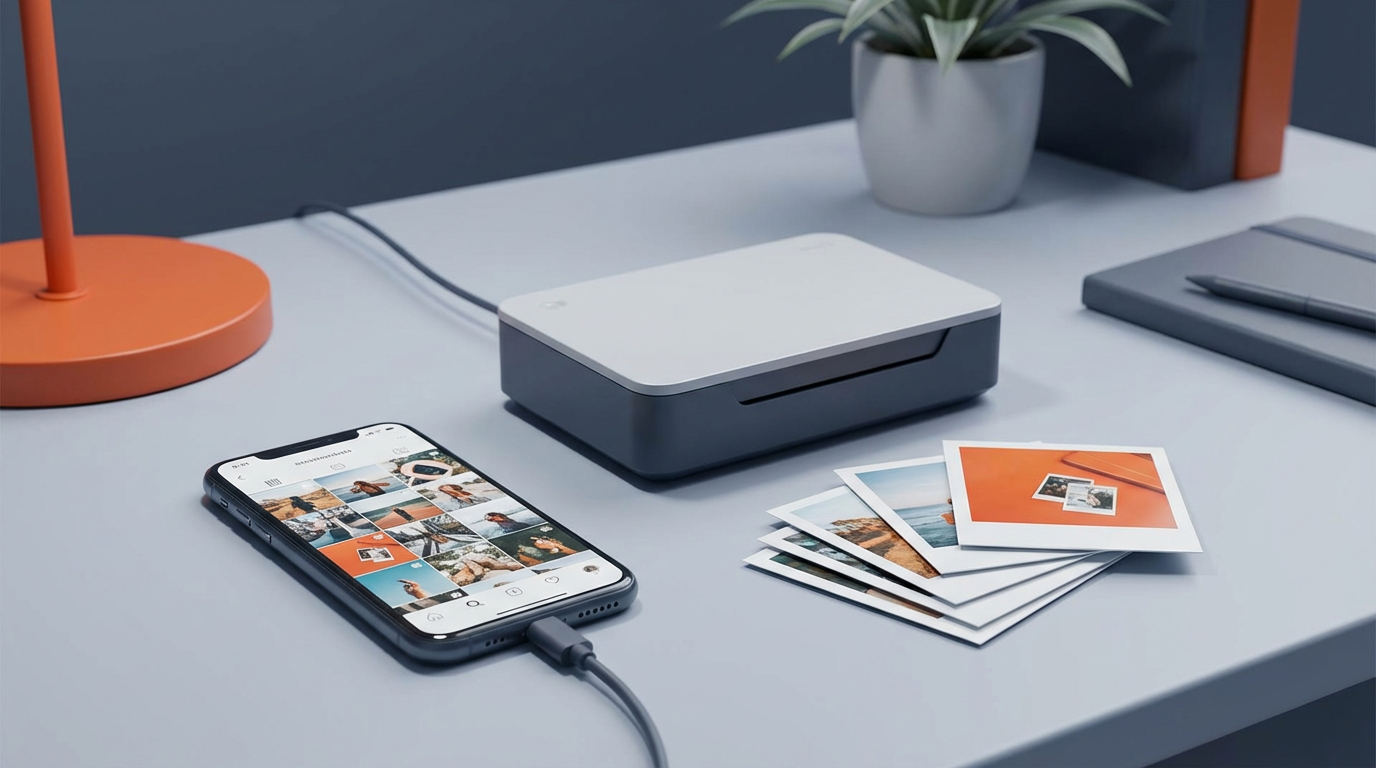
You can print out Instagram pics if you first save the photo in a clean, high-quality file and then print it using the right size, paper, and settings. This guide shows simple steps for iPhone, Android, and desktop. It also covers print quality, Walgreens prints, and rules for printing photos from someone else’s Instagram.
Key Takeaways
- You can print Instagram photos by saving the image file and printing it at home, at Walgreens, or through an online photo lab.
- The best results come from high-resolution files, correct aspect ratio, and light edits before you print.
- You can download your own Instagram photos from Accounts Center, or save single posts using legal methods.
- Walgreens can print Instagram pics if you upload the saved file in the Walgreens Photo app or website.
- Printing someone else’s Instagram photo can break copyright rules unless you have permission.
- Choose print sizes that match Instagram crops (square, 4:5, 9:16) to avoid cutting off faces and text.
How to Print Out Instagram Pics: The Simple Overview
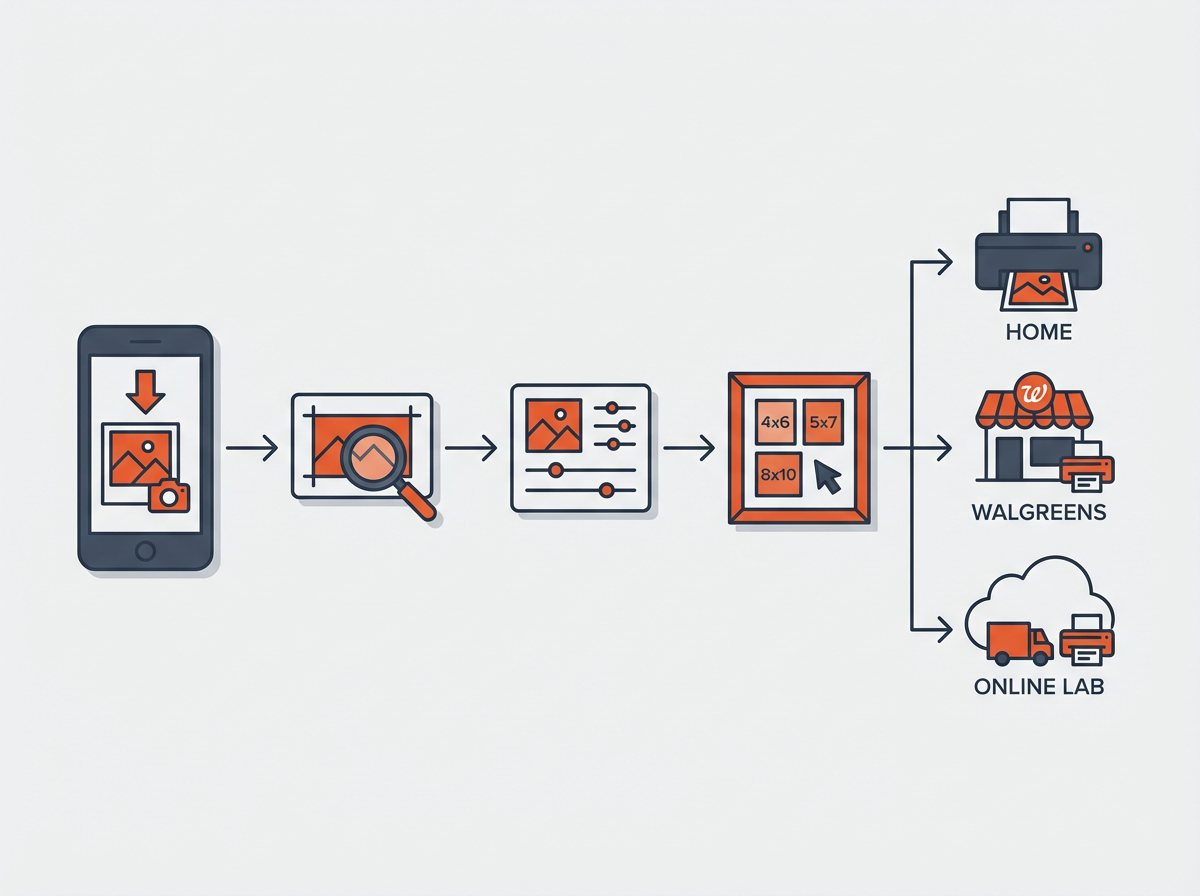
Printing Instagram photos works best if you follow a clear order. You save the image, check the quality, pick a print size, and then print through a service or a home printer. Each step affects sharpness and color.
Use this quick plan before you start:
- Step 1: Get the photo file (download or export).
- Step 2: Check resolution and crop.
- Step 3: Edit for print (light changes only).
- Step 4: Choose paper and size.
- Step 5: Print at home, Walgreens, or a photo lab.
Next, you will learn the best ways to save Instagram photos without losing quality.
How to Download Instagram Photos (Your Own) for Printing
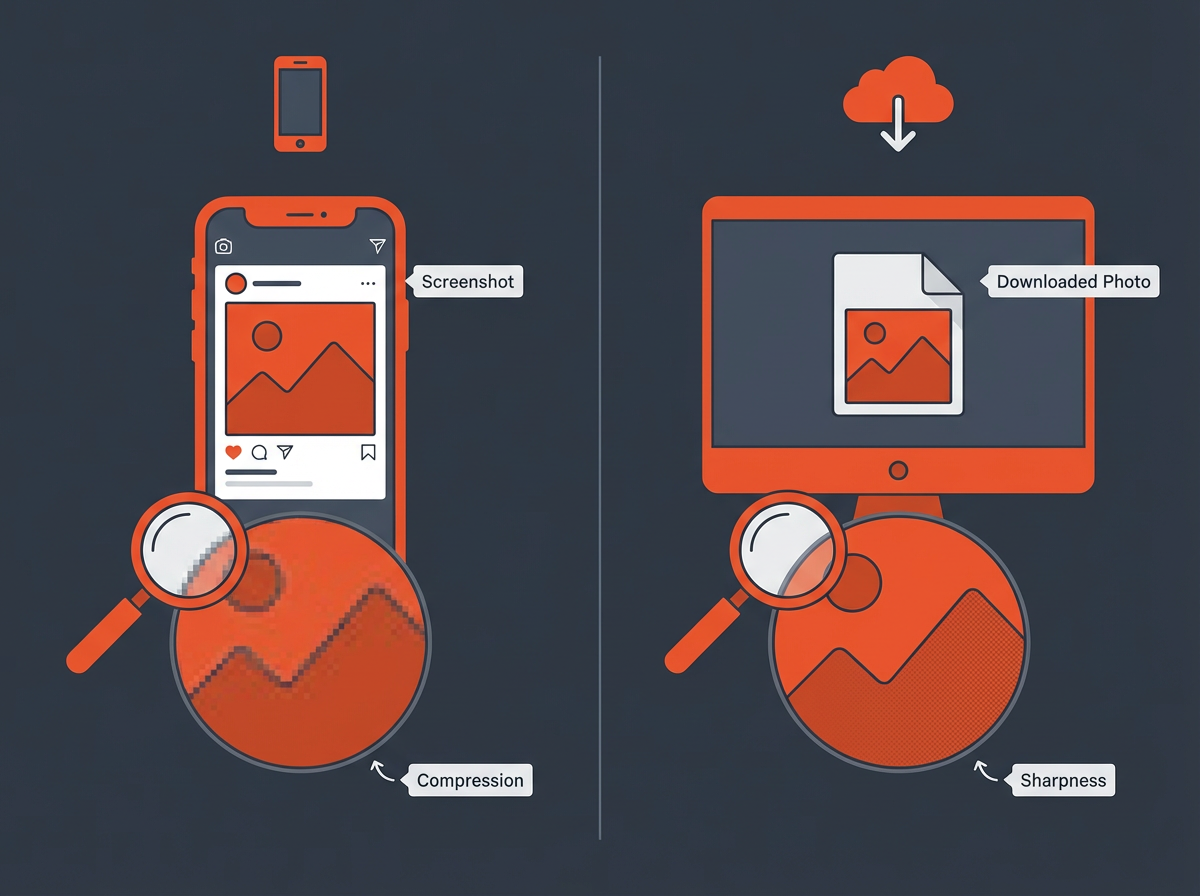
If you want clean prints, start with the best file you can get. A screenshot works for small prints, but a download or export usually looks better. Instagram also compresses images, so you want the least compressed option you can access.
Download your Instagram data (best for your own photos)
This method gives you copies of your content in a downloadable package. The steps can change as Instagram updates menus, but the path usually stays inside Accounts Center.
- Open Instagram and go to your profile.
- Tap the menu and open Settings and privacy.
- Open Accounts Center.
- Select Your information and permissions.
- Select Download your information.
- Choose the account and the content type (photos, videos).
- Request a download and wait for Instagram to send the file.
After you download the package:
- Extract the ZIP file on your computer or phone.
- Find the folder with your photos.
- Pick the photo you want to print and copy it to an easy location.
Save a single photo you posted (fast method)
If you need one photo fast, you can use a simple approach. The exact steps depend on your device and whether the photo is still on your camera roll.
- Check your phone gallery first. Many users keep the original photo there.
- If you used Instagram’s “Save original photos” option, your gallery may already have a copy.
To check that setting:
- Go to Settings and privacy.
- Find Archiving and downloading or a similar option.
- Turn on saving original photos if you want future posts saved.
Can I download an image from Instagram?
Yes. You can download your own images using Instagram’s download tools. You can also save images you created if you still have the original file on your phone or computer.
If you mean downloading someone else’s image, Instagram does not provide a direct “download photo” button for other people’s posts. You should get permission before you save and print someone else’s work.
Now that you have a file, you need to check if it will print sharply at your target size.
Check Photo Quality Before You Print
Instagram photos often look sharp on a phone screen but soft on paper. Printing needs enough pixels for the size you choose. You also need the right crop so heads and text do not get cut off.
Understand resolution in a practical way
Print quality depends on pixel dimensions. Many print labs target 300 PPI, but you can still get good results at lower PPI for small prints. Use this simple guide:
- 4×4 inch print (square): aim for at least 1200×1200 pixels
- 4×6 inch print: aim for at least 1200×1800 pixels
- 5×7 inch print: aim for at least 1500×2100 pixels
- 8×10 inch print: aim for at least 2400×3000 pixels
If your file is smaller, you can still print, but you may see blur or jagged edges.
Match the Instagram crop to the print size
Instagram uses common aspect ratios. Prints also use common aspect ratios. If they do not match, the lab will crop your image or add borders.
- Square post (1:1): best for 4×4, 5×5, 8×8
- Portrait post (4:5): best for 8×10 (close match), or print with small borders
- Landscape post (1.91:1): can fit some wide prints, but it will crop on 4×6
- Story/Reel cover (9:16): best for 4×7.1 style prints or small poster prints with borders
Tip: If a face sits near the edge, expect a crop problem. Add a small border in an editor to protect the edges.
Do a quick sharpness check
- Zoom the image to 100% on a computer.
- Check eyes, hair, and text for softness.
- Look for compression blocks in skies and walls.
Next, you will prep the image so it prints with clean color and contrast.
Edit Instagram Pics for Print (Fast, Safe Changes)
Prints often look darker than phone screens. A small edit can fix that. Keep edits simple so the photo still looks natural.
Use these basic edits before printing
- Brightness: raise slightly if the photo looks dark
- Contrast: add a small amount for punch
- Highlights: reduce if bright areas lose detail
- Shadows: lift if faces sit in shade
- White balance: fix yellow indoor light or blue outdoor shade
- Sharpening: add lightly, then stop
Pick the right file type
- JPG: standard for photo prints and Walgreens uploads
- PNG: good for text and graphics, but larger files
Save at the highest quality setting your editor offers.
Avoid these common print mistakes
- Do not use heavy filters that crush skin tones.
- Do not over-sharpen. It creates halos on edges.
- Do not export tiny images. Keep the largest pixel size you have.
Next, you will choose where to print: home printer, Walgreens, or an online photo lab.
Print Instagram Photos at Home (Best Settings and Paper)
Home printing works well for quick gifts and small batches. Your results depend on paper, ink, and printer settings.
What you need for good home prints
- A photo-capable inkjet printer
- Photo paper (glossy, matte, or luster)
- Ink that is not low or expired
- A clean file at the right size
Choose paper that matches your photo
- Glossy: strong color and deep blacks, shows fingerprints
- Matte: soft look, less glare, good for frames
- Luster/Satin: balanced look, popular for portraits
Use these printer settings
- Select the correct paper type in the print dialog.
- Set print quality to High or Best for photos.
- Turn off “Draft” mode.
- Use borderless printing only if you accept small edge cropping.
- Print a test on plain paper to confirm the crop.
Control color so prints do not look too dark
- Raise brightness a little before printing.
- Use your printer’s photo profile if available.
- Do not edit on a screen set to very high brightness.
Next, if you want fast same-day pickup, Walgreens is a popular choice.
How to Print Instagram Photos at Walgreens (Same-Day Option)
Walgreens Photo can print Instagram pics if you upload the image file from your phone or computer. Walgreens does not need Instagram access if you already saved the photo.
Can I print Instagram photos at Walgreens?
Yes. You can print them at Walgreens if you have the photo saved as a file on your phone or computer and you upload it to Walgreens Photo.
Step-by-step: Walgreens prints from your phone
- Save the Instagram photo to your phone (use your own original file or an export).
- Open the Walgreens app and go to Photo.
- Select Prints and choose a size (4×6, 5×7, 8×10).
- Upload the saved file from your camera roll.
- Use the crop tool to protect faces and text.
- Select quantity and finish checkout.
- Pick up at the store.
Step-by-step: Walgreens prints from a computer
- Move the photo file to your computer.
- Go to the Walgreens Photo website.
- Choose print size and upload the file.
- Review crop and color options.
- Submit the order for pickup or delivery.
Walgreens sizing tips for Instagram photos
- Square posts can crop badly on 4×6. Choose square prints if available, or add borders.
- Portrait 4:5 posts can crop on 4×6. Consider 5×7 or 8×10 with borders.
- Use the preview tool. Do not skip it.
Next, if you want premium paper and larger wall prints, an online photo lab can help.
Use an Online Photo Printing Service (Best for Gifts and Wall Prints)
Online print services often give more paper choices and better consistency than a basic home printer. They also offer photo books, canvas, and framed prints.
What to upload for the best results
- Upload the largest file you have.
- Use JPG at high quality unless the service requests PNG.
- Upload in sRGB color space if you can choose.
Popular print products for Instagram pics
- Standard prints: cheap and easy for albums
- Square prints: best match for 1:1 posts
- Photo book: best for travel and events
- Canvas print: good for wall decor, hides minor softness
- Framed print: good for gifts
How to avoid surprise cropping
- Pick a print size that matches your photo aspect ratio.
- Use the service crop preview and move the crop box.
- Add a white border if the service offers it.
Next, you will learn how to print Instagram pics from someone else’s account without breaking rules.
Can You Print Photos From Someone Else’s Instagram?
You can physically print any image file, but you may not have the legal right to do it. Instagram photos usually have copyright protection. The creator owns the image unless a license says otherwise.
What is allowed in simple terms
- Allowed: You print a photo you took and posted.
- Allowed with permission: You print someone else’s photo after they say yes.
- Often not allowed: You sell prints of someone else’s photo.
- Risky: You print someone else’s photo for public display without permission.
How to get permission the right way
- Send a direct message and ask for print permission.
- Ask if they want credit text on the back or on the frame label.
- Save a screenshot of the permission message.
What about printing for personal use?
Personal use still can break copyright rules in some cases. Many creators do not mind a small personal print, but you should still ask. A quick message avoids problems.
Next, you will get a clear step list for the most common print goals.
Step-by-Step: How to Print Out Instagram Pics for Each Common Goal
Different goals need different choices. Use the steps that match what you want to make.
Goal 1: Print a single Instagram photo as a 4×6
- Save the best file you have (original photo or Instagram export).
- Open the photo in an editor and crop to 4×6 (2:3) if needed.
- Raise brightness slightly.
- Export as high-quality JPG.
- Upload to Walgreens or an online lab and confirm the crop.
Goal 2: Print square Instagram pics for an album wall
- Use 1:1 crops to protect the composition.
- Choose square print sizes (4×4, 5×5, 8×8) if the lab offers them.
- Add a white border if you want a Polaroid-style look.
- Use matte or luster paper to reduce glare on walls.
Goal 3: Print Instagram Stories or Reels covers
- Expect lower quality because Stories use a vertical format and can compress more.
- Pick smaller prints or add borders on larger prints.
- Check text edges. If text looks soft, do not print large.
Goal 4: Print a photo book from Instagram posts
- Download your Instagram data so you can collect many photos at once.
- Sort photos by date or event.
- Use a book tool and choose a simple layout.
- Keep captions short so they stay readable in print.
Next, you will learn how to fix the most common problems that make Instagram prints look bad.
Troubleshooting: Fix Blurry, Dark, or Cropped Instagram Prints
Most print problems come from low resolution, heavy compression, wrong crop, or screen-to-print color shifts. Use these fixes before you waste money on reprints.
Problem: The print looks blurry
- Use the original camera file if you have it.
- Avoid screenshots for large prints.
- Print smaller (4×4 or 4×6) if the file is low resolution.
- Use canvas if you want a larger wall piece with less visible softness.
Problem: The print looks too dark
- Increase brightness and shadows slightly before you export.
- Turn down contrast if blacks look crushed.
- Check the lab setting for “auto enhance” and test on one print.
Problem: Faces or text got cut off
- Use the crop preview tool and reposition the crop box.
- Add borders to keep the full image.
- Pick a print size that matches the photo ratio.
Problem: Colors look different than your phone
- Edit on a screen with moderate brightness.
- Use sRGB exports when possible.
- Try matte paper if glossy looks too intense.
Next, you will find direct answers to the most common questions people ask before they print.
Frequently Asked Questions (FAQs)
Is there a way to print Instagram photos?
Yes. Save the photo file first, then print it at home, at Walgreens, or through an online photo printing service.
Can I download an image from Instagram?
Yes for your own images. Use Accounts Center to download your information, or use your original camera file. For other people’s images, get permission first.
Can I print Instagram photos at Walgreens?
Yes. Save the image to your phone or computer, upload it in the Walgreens Photo app or website, confirm the crop, and order prints for pickup.
Can you print photos from someone else’s Instagram?
You can, but you may not have the right to do it. Ask the creator for permission before you print, share, or sell their work.
What is the best size to print Instagram photos?
Square posts print best as 4×4 or 5×5. Many posts also work as 4×6 with cropping. Choose a size that matches your photo ratio to avoid cutoffs.
Will screenshots print well?
Screenshots can work for small prints, but they often look soft. Use an original file or an Instagram data download if you want sharper prints.
Final Thoughts
You can get great results with how to print out Instagram pics if you start with the best file, match the crop to the print size, and make small edits for brightness and color. Choose home printing for speed, Walgreens for same-day pickup, or an online lab for more paper and gift options. Save your favorite posts today, test one print first, and then place your full order with confidence.