You want more privacy on Twitter (now called X). You may follow accounts for work, hobbies, or research. You may not want everyone to see that list. This guide explains what you can and cannot hide, and it gives clear steps you can use today.
Key Takeaways
- X does not offer a direct setting to hide your Following list while keeping your profile public.
- The main way to limit access is to protect your posts (make your account private), which restricts who can view your profile details.
- Your approved followers can still see who you follow in most cases, even on a private account.
- People can often infer who you follow through replies, reposts, likes, and public interactions.
- You can reduce exposure by changing interaction settings, removing followers, and cleaning up visible activity.
- If you need stronger separation, use a second account for private follows and research.
Can you hide who you follow on Twitter (X)? The direct answer
Many people search for how to hide who you follow on twitter because they expect a simple toggle. X does not provide a dedicated “hide Following list” feature for public accounts. If your profile stays public, your Following list stays visible to other users.
What X allows vs what people expect
- What people want: Keep posts public but hide Following.
- What X offers: Protect posts (private account) and limit who can interact with you.
- What that means: You can reduce who sees your profile, but you cannot fully hide your Following list from everyone.
Why the “Reddit trick” usually fails
- People often ask can you hide who you follow on twitter reddit because they hope for a workaround.
- Most “tricks” rely on outdated UI steps, third-party tools, or temporary glitches.
- Some tools ask for login access. That creates a security risk and can violate platform rules.
Next, you will learn what other people can see and what changes when you switch to a private account.
Can others see who I am following on Twitter (X)?
Yes, in most normal cases. If your account is public, other users can open your profile and tap Following to view the list. This also answers a common keyword question: can people see who you follow on x. For public accounts, the answer is yes.
What people can see on a public profile
- Your Following list
- Your Followers list
- Your posts and replies (unless you limit replies per post)
- Your likes (subject to current X visibility rules and account settings)
- Your reposts and quotes
What changes if you protect your posts
- Only approved followers can see your posts.
- Non-followers cannot see your posts.
- Non-followers often cannot view full profile details the same way.
- Approved followers can still see most profile sections, including Following, in many cases.
Now let’s move from “what is visible” to “what you can do about it.”
How to hide who you follow on Twitter by making your account private
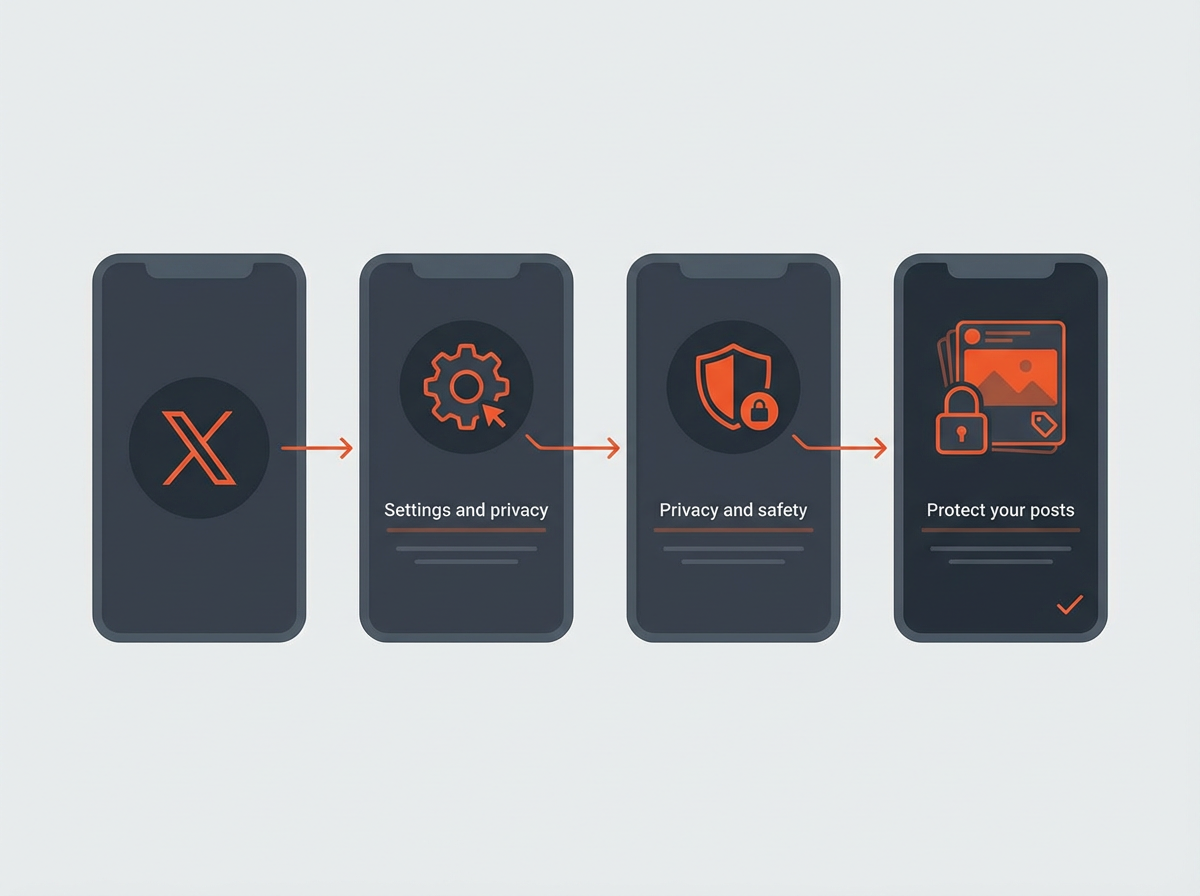
If you want the strongest built-in privacy option, you need to protect your posts. This is the closest match to how to hide who i follow on x using official settings. It does not make your Following list invisible to approved followers, but it blocks most public viewing.
Steps on iPhone and Android
- Open the X app.
- Tap your profile icon.
- Tap Settings and privacy.
- Tap Privacy and safety.
- Tap Audience and tagging.
- Turn on Protect your posts.
Steps on desktop (web)
- Open X in your browser.
- Click More in the left menu.
- Click Settings and privacy.
- Click Privacy and safety.
- Click Audience and tagging.
- Enable Protect your posts.
What happens after you protect your posts
- New people must request to follow you.
- Your posts stop appearing to the public.
- Your old public posts may still exist in screenshots or third-party caches.
- Some profile elements may remain visible depending on viewer status and current platform behavior.
Important: If your goal is “hide Following from my followers,” a private account will not fully solve it. Your followers can still see a lot. Next, you will learn how to limit what your followers can infer.
How do I hide who I follow from my followers? What actually works
This is the hardest request because X is built around social graphs. If someone follows you, X often lets them see your profile connections. Still, you can reduce what your followers can learn and reduce who counts as a follower.
Option 1: Remove followers you do not trust
- Go to your profile.
- Open your Followers list.
- Tap the three-dot menu next to a follower.
- Select Remove this follower.
- This does not notify them in a direct alert in most cases.
- They can still find your profile if it is public.
- If your account is private, they must request again.
Option 2: Block accounts that monitor you
- Open the user profile.
- Tap the three-dot menu.
- Select Block.
- Blocking stops them from viewing your posts and interacting with you while logged in.
- Blocking also reduces scraping from casual viewers.
Option 3: Use a second account for sensitive follows
- Create a separate account for research, personal interests, or private topics.
- Keep that account private.
- Do not link it to your main account bio, email display, or phone sync if you want separation.
Option 4: Reduce public signals that reveal your follows
- Avoid replying to the accounts you want to keep private.
- Avoid reposting their posts.
- Avoid quote-posting them.
- Limit likes on sensitive topics if likes are visible in your setup.
Next, you will learn how profile visibility and follower visibility work, so you can set realistic expectations.
Does Twitter show all your followers and following?
In most cases, yes. X shows your follower count and following count on your profile. It also shows the lists when someone taps into them, unless account privacy or viewer restrictions apply.
Cases where people may not see the full list
- Private account: Non-followers may not see your posts and may have limited access to profile content.
- Blocked viewer: A blocked user cannot view your profile normally while logged in.
- Suspended or restricted accounts: Some lists may not load for certain viewers.
- Temporary platform issues: X sometimes fails to load full lists, but this is not a privacy feature.
Why counts can still reveal information
- If your following count changes fast, people can guess you followed or unfollowed someone.
- If you follow a niche group, mutual follower suggestions can expose patterns.
Next, you will learn practical steps that reduce discovery through suggestions and contacts.
Reduce discovery: stop contact syncing and limit account suggestions
Even if you cannot fully hide your Following list, you can reduce how often X recommends your account to others and how often it recommends others to you based on contacts. This reduces unwanted attention.
Turn off contact syncing (mobile)
- Open X.
- Go to Settings and privacy.
- Open Privacy and safety.
- Find settings related to Discoverability and Contacts.
- Disable contact syncing if it is enabled.
Limit discoverability by phone and email
- In Discoverability settings, disable options like:
- Let people find you by your email
- Let people find you by your phone
Why this helps with “who I follow” privacy
- It reduces the chance that coworkers, family, or clients find your profile.
- It reduces the chance they open your profile and review your Following list.
Next, you will learn how to reduce exposure from replies and mentions, which often reveal your interests more than the Following list does.
Control what people learn from your replies, reposts, and likes
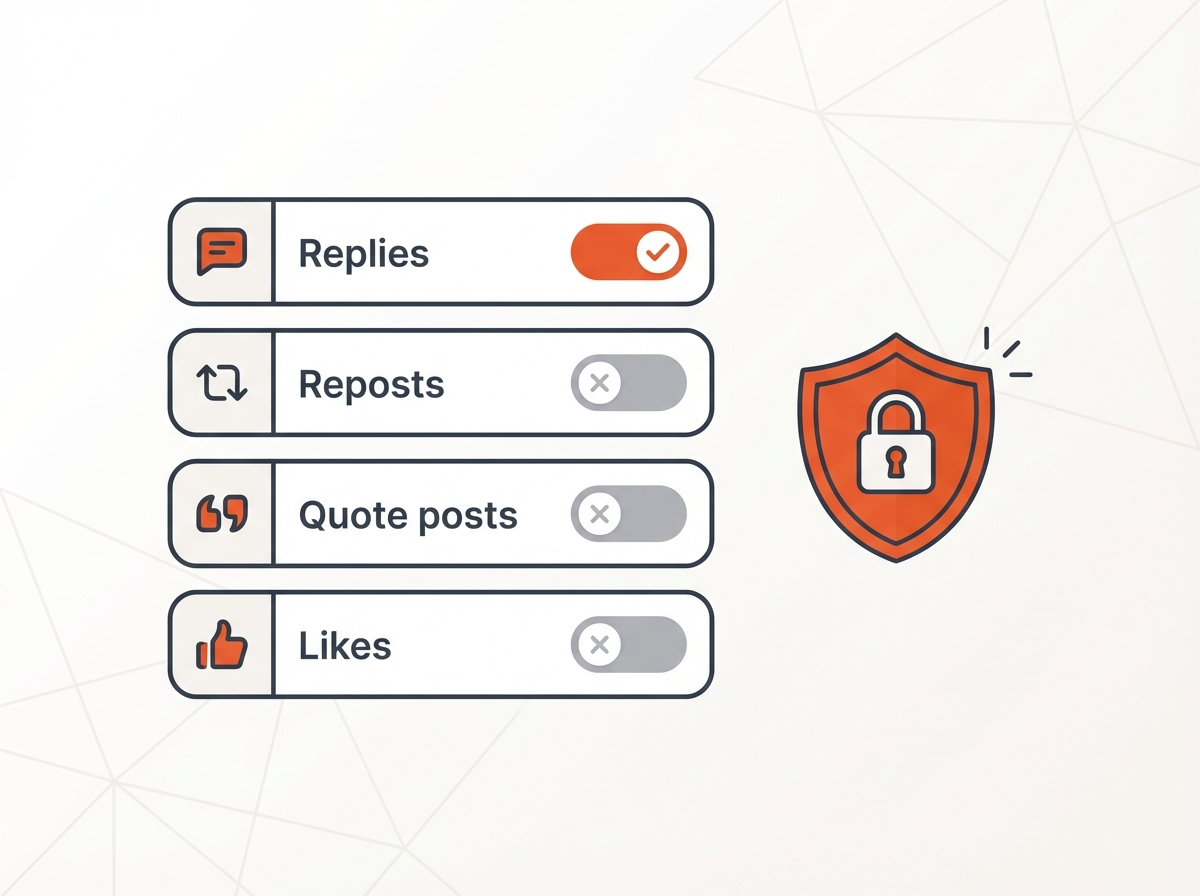
Many users focus on the Following tab, but public activity often exposes more. A person can see who you engage with and guess who you follow. You can limit that signal.
Limit who can reply to your posts
- When you create a post, choose who can reply (Everyone, Accounts you follow, Verified accounts, or Mentioned accounts).
- Use tighter reply settings on posts that attract attention.
Review your repost and quote habits
- Reposts create a clear public link between you and an account.
- Quote posts create an even stronger link because your comment appears with the original content.
- If privacy is the goal, reduce reposts and quote posts from accounts you want to keep less visible.
Audit your likes and bookmarks
- Bookmarks are private, so use them for saving sensitive posts.
- Likes may be visible depending on current X behavior and your account type.
- If likes are visible on your profile, unlike older likes that reveal sensitive interests.
Next, you will learn safe “workarounds” that do not rely on risky tools.
Workarounds that stay safe (and what to avoid)
Some methods reduce exposure without breaking rules or giving away your password. Other methods create security risks. Use this section to choose safe steps.
Safe methods
- Private account: Protect your posts and approve followers.
- Follower cleanup: Remove or block accounts you do not trust.
- Two-account setup: Separate public identity from private follows.
- Low-signal behavior: Use bookmarks instead of likes, and limit public replies.
Methods to avoid
- Third-party “hide following” tools: Many require login access and can steal data.
- Browser extensions that modify X pages: They only change what you see, not what others see.
- Buying followers or engagement: It increases attention and can attract monitoring accounts.
Quick privacy checklist you can apply today
- Protect your posts if you can accept a private profile.
- Remove followers you do not know.
- Block repeat viewers or harassment accounts.
- Turn off discoverability by phone and email.
- Stop contact syncing.
- Use a second account for sensitive follows.
Next, you will find direct answers to the most common questions people ask before changing settings.
Frequently Asked Questions (FAQs)
Can I hide my following list on Twitter?
No. X does not offer a direct feature that hides your Following list while your account stays public. A private account can limit public access, but it does not fully hide the list from approved followers.
How do I hide who I follow from my followers?
You cannot fully hide it from approved followers with a built-in setting. You can reduce exposure by removing followers, blocking accounts, and using a second private account for sensitive follows.
Can others see who I am following on Twitter?
Yes. If your account is public, other users can view your Following list from your profile. If your account is private, non-followers have limited access.
Does Twitter show all your followers?
In most cases, yes. X shows your followers list and follower count. Blocking and private settings can restrict who can view the list.
Can people see who you follow on X if your account is private?
Non-followers usually cannot see much on a private account. Approved followers can often still view your Following list, so privacy is stronger but not total.
Is there a real way to hide who you follow on Twitter Reddit users mention?
Most Reddit tips rely on outdated behavior or risky third-party tools. The reliable options are private posts, follower control, and account separation.
Final Thoughts
X does not give a simple switch for how to hide who you follow on twitter on a public profile. You can still protect your posts, control who follows you, and reduce the public signals that reveal your interests. If you need strong separation, use a second private account for sensitive follows. Take action now: protect your posts if it fits your goals, remove unknown followers, and turn off discoverability settings to reduce unwanted profile views.