
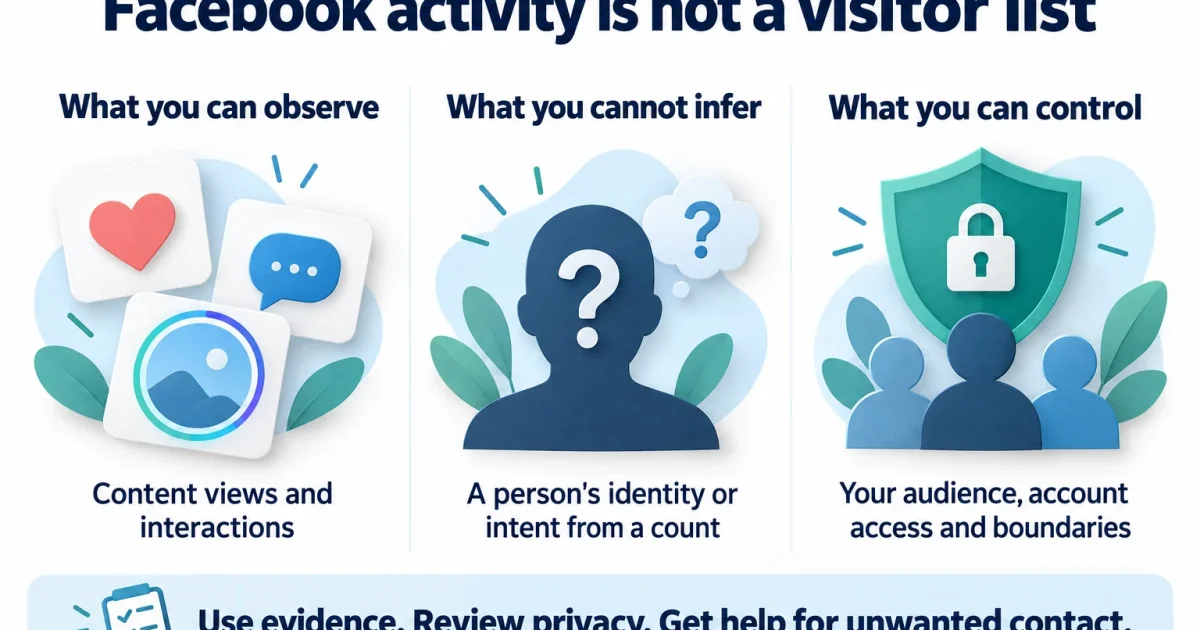

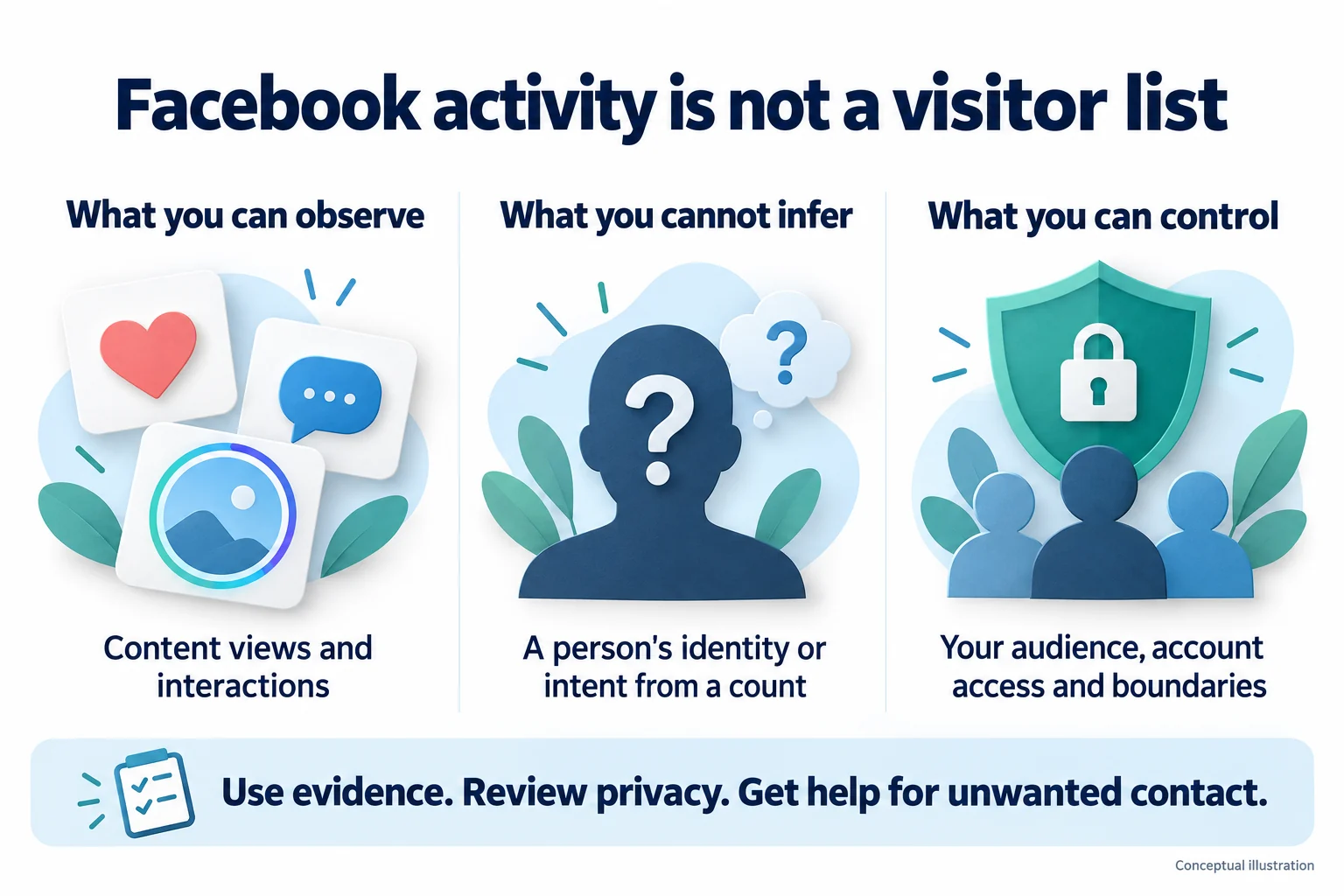
No, Facebook does not give you a list of everyone who visits your personal profile. An app, browser extension or page-source trick cannot turn Facebook into a reliable profile-stalker detector.
You can see certain interactions with your content, but those interactions answer narrower questions. A Story viewer has viewed that Story. A reaction shows engagement with a post. Neither tells you how many times someone opened your profile or why they did it.
If you’re dealing with unwanted contact, you don’t need to identify every silent visitor before setting a boundary. I’d start with what you can actually observe, review who can see your content, and use the reporting and account-security tools that fit the situation.
Correction: An earlier version suggested tracking links and treated Story views or engagement as clues that could identify a stalker. Those suggestions were misleading. This guide separates visible activity from assumptions and removes deceptive tracking instructions.
Key takeaways
- Facebook does not provide a named visitor list for personal profiles
- A Story viewer list is about that Story, not your entire profile
- Friend suggestions, list order and frequent reactions do not establish stalking
- Do not give a profile-viewer service your password, login code or account access
- Review audiences, personal information and unwanted connections
- For harassment, preserve relevant evidence when safe, report it and seek support
Can you see who viewed your Facebook profile?
Facebook’s profile-viewing guidance says personal-profile visitors cannot be tracked through a viewer list, and third-party apps cannot supply that feature. A tool advertising secret access to that list needs to be treated with caution.
That does not mean everything you do on Facebook is invisible. Liking a post, commenting, sending a request or appearing in a content-specific viewer display is different from silently opening a profile. Keep those actions separate when deciding what another person might be able to see.
The useful question is often, “What information am I making available?” You have more control over that than over identifying people who look without interacting.
What Facebook activity can and cannot tell you
Story viewers show activity on that Story
If Facebook shows an account in a Story’s viewer display, read it as information about that particular Story. It is not a history of visits to your profile, a measure of someone’s intentions or proof that they searched for you.
Example: Someone you haven’t spoken to for months appears among your Story viewers. You know that their account viewed that content. You do not know from that entry whether they opened your profile first, watched because it was surfaced to them or were looking for something else.
Use the viewer controls available on your own Story if you want to review that content’s audience. Don’t publish bait or personal details just to see who reacts. If you want fewer people to see your next update, change its audience instead.
Likes and comments show engagement, not intent
A reaction or comment is an observable action. Its meaning still depends on context. Frequent engagement might be welcome, annoying or part of a larger pattern of unwanted contact. A count alone cannot decide which.
Example: A colleague likes several older photos. That does not establish when they viewed your profile, how often they return or whether they are stalking you. You can limit what that colleague sees without making an accusation you cannot support.
Friend suggestions and list order are not visitor reports
A name near the top of a list, a suggested friend or a post appearing repeatedly in your Feed is not a labeled report of profile visits. Don’t turn a recommendation into a conclusion about another person’s behavior.
Example: You meet an old classmate, then their profile appears in a recommendation. The timing may stand out, but the suggestion does not tell you that they searched for you. It also doesn’t tell you what caused that particular recommendation.
Meta describes Feed as a personalized ranking system. That is a reason to avoid guessing a single explanation for a feed position, not a method for reverse-engineering a visitor list.
Audience totals are different from named visitors
If your account displays reach, views or engagement metrics, read the label and the content it describes. A total is not automatically a list of people. Switching account modes or paying for a tool does not turn an unlabeled count into evidence about a specific person.
Meta’s creator insights announcement discusses measures such as reach and interactions. Those are content-performance measures, not a claim that you can identify everyone who silently visits a personal profile.
Why profile-viewer tricks do not prove anything
Page source and buddy ID lists
A tutorial may ask you to open page source and search for an identifier such as “buddy_id.” Finding account IDs inside a page does not establish that those accounts recently visited you. Without a documented visitor meaning, you cannot treat an ID’s presence or position as evidence.
There is no need to paste scripts into your browser console or install an extension to investigate this. A complicated-looking procedure does not make the conclusion reliable.
Profile-viewer apps and paid services
Be wary when a service promises hidden visitors but asks for your Facebook credentials, a login code, a browser extension or broad account access first. A payment screen, a long list of names or positive reviews does not verify the feature.
Meta has documented malicious apps designed to steal Facebook logins, including apps presented as useful utilities. That does not make every third-party app malicious, but it is a good reason to question access requests that have no clear purpose.
Example: An app says it has found 30 hidden viewers and asks you to sign in to reveal their names. Don’t use the promised list as a reason to hand over your account. Close the offer and use Facebook’s own settings for the task you actually need.
Tracking links do not identify profile stalkers
Don’t disguise a tracking link as an ordinary article or video to collect information about someone without their knowledge. A record of a link being opened is not a record of a Facebook profile visit. It cannot establish who was behind every click or why they clicked.
If you are worried about harassment, save the messages or posts you actually received. Creating a new surveillance tactic adds privacy risks and does not solve the missing-evidence problem.
How to review your Facebook privacy
Start in Facebook’s settings and look for Privacy Checkup. Meta describes it as a review of your sharing choices, profile details, discoverability and connected apps. See its Privacy Checkup explanation. The labels and placement can change, so follow the choices shown in your account.
- Check the audience before posting. Look at who an update will be shared with, especially when it includes your routine, location or personal plans
- Review older content separately. Don’t assume choosing a smaller audience for your next post has checked every older photo and update
- Review profile details. Decide who needs to see your contact information and other personal details
- Review your connections. Keep the people you want connected and remove connections you no longer want
- Review apps connected to your account. Remove access you no longer need and investigate anything you don’t recognize
Example: You want to share holiday photos with friends without announcing your plans more widely. Check the audience and the details in the photos before posting. You don’t need a visitor-tracking service to make that decision.
Pay attention to profile and cover images, too. Meta’s standard visibility guidance describes current profile pictures and cover photos as public. Don’t promise yourself that a general privacy change makes every part of the profile private. Check what your account actually exposes and avoid putting sensitive details in those images.
If you are cleaning up connections, our guide to removing Facebook friends on mobile and PC explains the options and the limits of bulk-removal claims.
What to do about unwanted contact or threats
A lack of profile-view data does not mean unwanted contact should be ignored. Repeated messages after a boundary, threats, impersonation or attempts to contact you through multiple accounts are concrete behaviors to address. You do not need a secret visitor list to ask for help.
The Australian eSafety Commissioner’s cyberstalking guidance explains how repeated unwanted contact can develop into a safety concern. It is a useful starting point, but reporting options and local support vary by country.
Save relevant evidence when it is safe
Keep the profile links or usernames, dates and the messages or posts that show what happened. Capture enough context to make the record understandable. Store it somewhere the person you are concerned about cannot access.
Example: An account repeatedly sends threatening messages. Save the relevant conversation and its profile link if doing so is safe. The threats are what you should report; you do not need to prove how often that account visited your profile.
Safety comes first. If someone may be monitoring your device or could retaliate after noticing changes, consider using a trusted device and getting advice from a support service before acting. eSafety’s evidence-safety guidance explains why collecting evidence itself can sometimes increase risk. Never save or share sexual images of a minor as evidence.
Report the behavior and limit contact
Use the reporting control on the relevant profile, post or conversation, and describe the behavior accurately. Use blocking or other contact controls where appropriate. Don’t assume blocking erases copies of material someone already has or addresses every way they could contact you.
You can choose a boundary without publicly labeling someone a stalker. For ongoing unwanted contact, eSafety’s reporting and contact guidance recommends preserving evidence when safe and using the platform’s tools. Seek local support or police assistance for threats to your safety. If there is immediate danger, contact local emergency services.
If the problem involves an unfamiliar account using a familiar name or photo, our guide to assessing another Facebook profile explains why matching details are not proof of who controls it. Avoid confronting someone based only on resemblance.
What if you already used a profile-viewer app?
Focus on protecting the account rather than checking whether the app’s list was accurate.
- Stop using the suspicious app or extension and remove it
- If you gave it your password, change that password through Facebook’s own app or official site
- Review logged-in sessions and sign out of sessions you do not recognize
- Review and remove unnecessary connected-app access
- Enable two-factor authentication and login alerts through your account’s security settings
These account-recovery precautions are based on Meta’s advice for malicious-app exposure. If you reused the exposed password elsewhere, those accounts need attention too.
Example: You installed a visitor extension and entered your Facebook password, but it only showed a random-looking list. Treat the credential exposure as the issue. Deleting the list does not secure the account.
The security settings may not match an older tutorial. Meta announced in April 2026 that Accounts Center would gradually transition to Meta Account. Use the security settings and guidance actually displayed to you rather than forcing an outdated menu path.
Frequently asked questions
Can I see Facebook profile visitors on iPhone or Android?
The lack of a personal-profile visitor list is not fixed by switching phones or using a desktop browser. Content-specific viewer information and visible interactions are separate from profile visits.
Does a Story viewer prove someone opened my profile?
No. A Story view only supports a conclusion about that Story. It does not establish the path the viewer took to it, their motive or a history of profile visits.
Does appearing in People You May Know prove a profile visit?
No. A suggestion is not a visitor notification. It does not give you enough information to explain why that person appeared, much less to identify stalking.
Should I post a Story to catch someone?
Don’t use it as a trap or publish information you would otherwise keep private. If your goal is privacy, adjust the audience. If your concern is harassment, document the actual behavior and use appropriate reporting or support.
Can blocking make me completely invisible?
Don’t treat any single setting as that guarantee. Review the scope of the control, the information you share publicly and the possibility that existing content has already been copied. If someone continues contacting you, keep a record when safe and reassess your next steps with support.
Final thoughts
You cannot reliably identify silent Facebook profile visitors through a hidden list or tracking trick. You can make deliberate choices about what you share, who can contact you and what to do about harmful behavior. Start with those controls and the evidence you actually have.