
Understanding your YouTube audience is essential for growing your channel. Knowing who your subscribers are can help you create tailored content, engage with your viewers, and build a loyal community. YouTube Studio provides an easy way to view and manage subscriber information, making it a vital tool for creators who want to use data to guide their content strategies effectively.
Key Takeaways
- YouTube Studio allows creators to view their subscriber list and analyze important subscriber data.
- You can access subscriber details on both desktop and mobile versions of YouTube Studio.
- Subscriber visibility is affected by privacy settings, meaning some subscribers may not appear on your list.
- Analyzing subscriber data helps creators improve their content and foster stronger connections with their audience.
Viewing Subscribers Using YouTube Studio (Desktop)
YouTube Studio on desktop gives you the most comprehensive access to subscriber information. Here’s how to find your subscriber list:
Step-by-Step Instructions:
- Log in to Your Account: Open YouTube and sign in to your account.
- Access YouTube Studio: Click your profile picture in the top-right corner, then select “YouTube Studio” from the dropdown menu.
- Navigate to the Dashboard: You’ll land on the YouTube Studio Dashboard. Scroll down until you see the “Recent Subscribers” card.
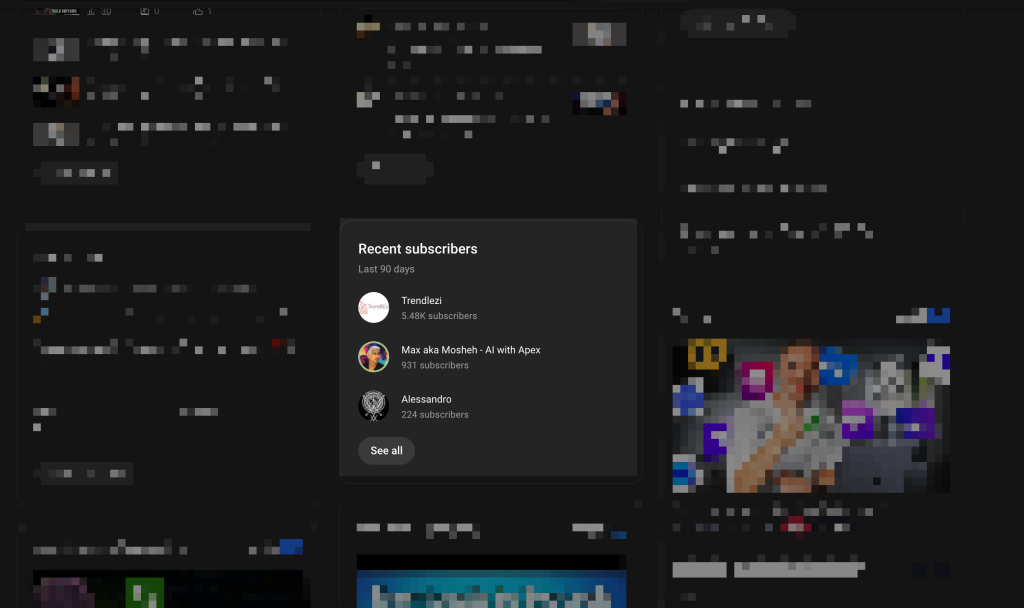
- View All Subscribers: Click the “See All” option on the “Recent Subscribers” card. This opens the complete subscriber list.
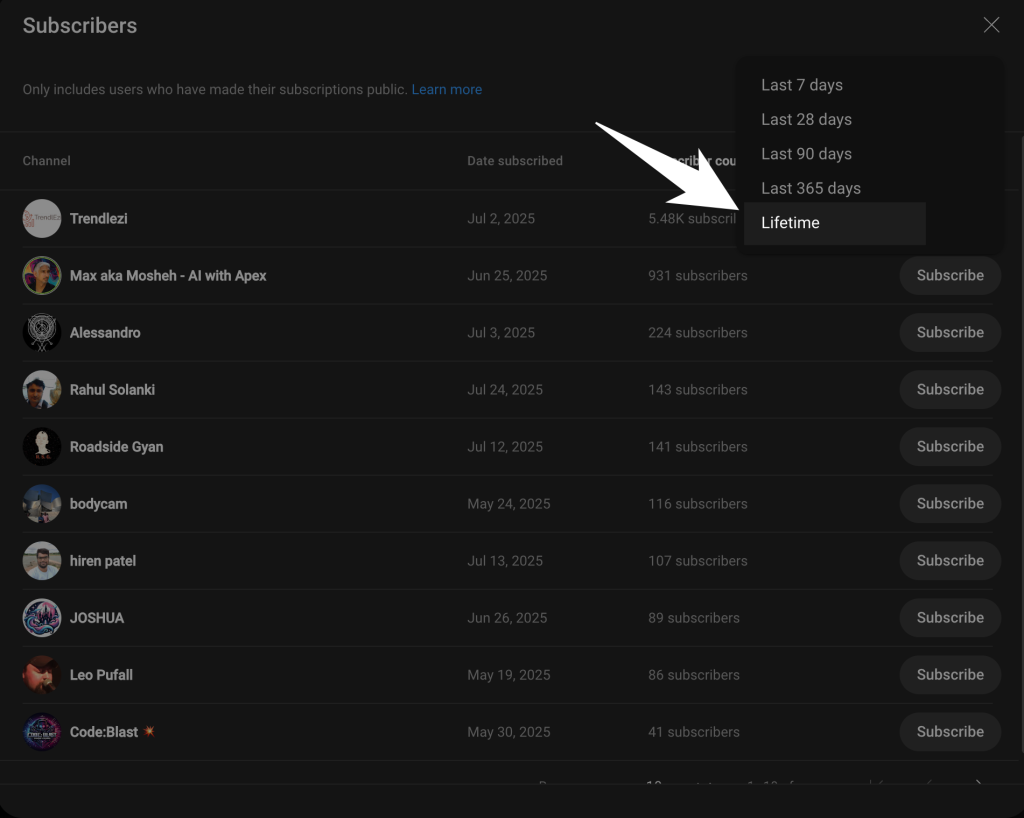
- Filter the List: Use filters like timeframes (e.g., last 7 days, 28 days, 90 days, or lifetime) to analyze subscriber data over specific periods.
The list will show subscribers who have made their subscriptions public. It includes their names, channel icons, subscription dates, and subscriber counts.
Viewing Subscribers Using the Mobile App
The mobile version of YouTube Studio offers fewer options but still lets you track subscriber activity.
Step-by-Step Instructions:
- Download YouTube Studio: Install the YouTube Studio app from your device’s app store.
- Log in to Your Account: Open the app and sign in with your YouTube credentials.
- Go to the Analytics Section: Tap “Analytics” from the bottom menu.
- View Recent Subscribers: On the “Overview” tab, scroll to the “Recent Subscribers” section.
- Tap for Details: Tap the section to view more detailed subscriber insights and trends.
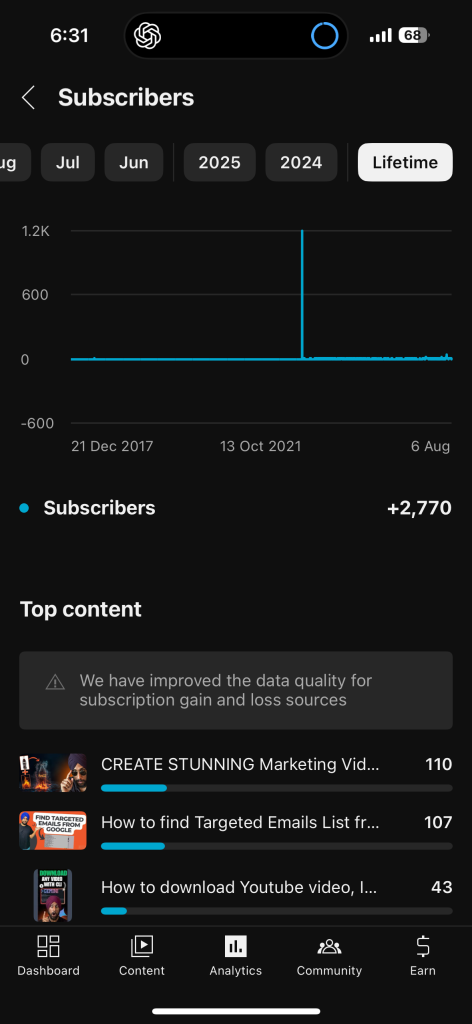
Though not as detailed as the desktop version, the app provides a snapshot of recent subscriber data and growth trends.
Checkout our Free Youtube Resources;
- YouTube Backlink generator
- YouTube Video Downloader
- vidIQ Review 2025: How I Got 100k+ Views Using it?
Limitations and Privacy Settings
While YouTube Studio provides valuable subscriber insights, some limitations can impact what you see:
Privacy Settings
YouTube only shows subscribers who have set their subscriptions to public. Private subscriptions will neither appear in your subscriber list nor in your public subscriber count.
Default Privacy Settings
By default, YouTube sets subscriptions to private. Users need to manually change this setting to make their subscriptions public.
Partial Subscriber Data on Mobile
The mobile app doesn’t offer the same level of filtering and customization as the desktop version.
These limitations mean your subscriber list may not reflect your total subscriber count.
Frequently Asked Questions (FAQs)
Why can’t I see all my subscribers?
Some users have their subscriptions set to private, which prevents their names from appearing on your list.
Can I export my subscriber list?
Yes, on the desktop version of YouTube Studio, you can export the subscriber list for external analysis.
How often is the subscription data updated?
YouTube updates subscriber data in real-time, so your list reflects recent activity.
Are there any tools to analyze subscriber growth trends?
Yes, YouTube Studio includes analytics tools like live subscriber count and growth charts to monitor trends over time.
How can I engage with subscribers?
Visit their channels, respond to their comments, or create content based on their feedback to foster a sense of community.
Final Thoughts
Your subscriber list is more than just a number — it’s a resource that can guide your content decisions and strengthen your connection with your audience. By using YouTube Studio, you can gain valuable insights into who your subscribers are and how they engage with your channel. Whether you’re on desktop or mobile, knowing how to view and analyze this data is a step toward creating content that resonates and building a thriving community around your channel.