
A topical map gives your site a clear content plan. It shows the main topic, the subtopics, and the exact pages you need. It also shows how pages link to each other. This helps search engines understand your coverage. It also helps readers find answers faster. This guide explains 20 Ways to generate Topical map with steps you can use today.
Key Takeaways
- A topical map starts with one clear primary topic and a defined audience intent.
- You can generate topical maps from SERP patterns, keyword clusters, competitor outlines, and internal data.
- A strong map uses hub pages, supporting pages, and clear internal links.
- The “7 elements of a map” can guide your topical map structure and labeling.
- You can use spreadsheets, mind maps, and SEO tools to build and maintain the map.
- Tracking coverage, rankings, and links keeps the topical map accurate over time.
What a topical map is and why it matters
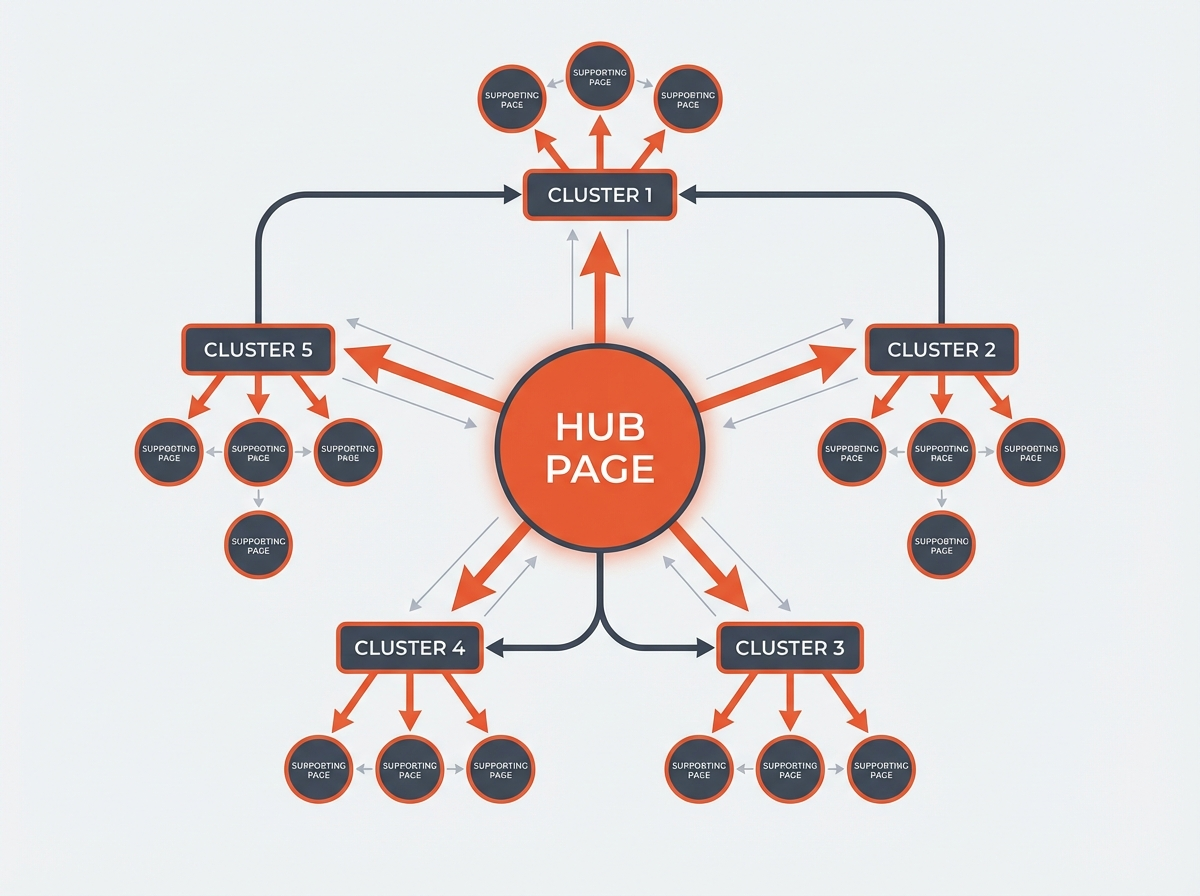
A topical map is a structured list of topics and pages for one niche. It groups related ideas into clusters. It assigns each cluster to a page type. It also defines internal linking rules. This structure supports topical authority, content planning, and site architecture.
Core parts of a topical map
- Primary topic: the main theme you want to rank for.
- Topic clusters: groups of related subtopics.
- Entities: people, places, brands, tools, and concepts tied to the topic.
- Search intent: what the user wants to do (learn, compare, buy, fix).
- Pages: hub pages, guides, how-tos, comparisons, and glossary pages.
- Internal links: links that connect hub and supporting pages.
How to build a topical map (simple process)
- Step 1: Pick a specific niche and define the audience.
- Step 2: Collect seed keywords and entity terms.
- Step 3: Group terms by intent and meaning.
- Step 4: Choose a hub page for each cluster.
- Step 5: Assign supporting pages and questions to each hub.
- Step 6: Add internal link rules and anchor text targets.
- Step 7: Publish in an order that builds coverage fast.
Next, you will see 20 direct methods you can use to generate the map.
20 Ways to generate Topical map (with steps you can follow)
Each method below can produce a usable topical map. You can use one method. You can also combine several methods for better coverage. For best results, you should capture output in a spreadsheet with columns for topic, intent, page type, URL, and internal links.
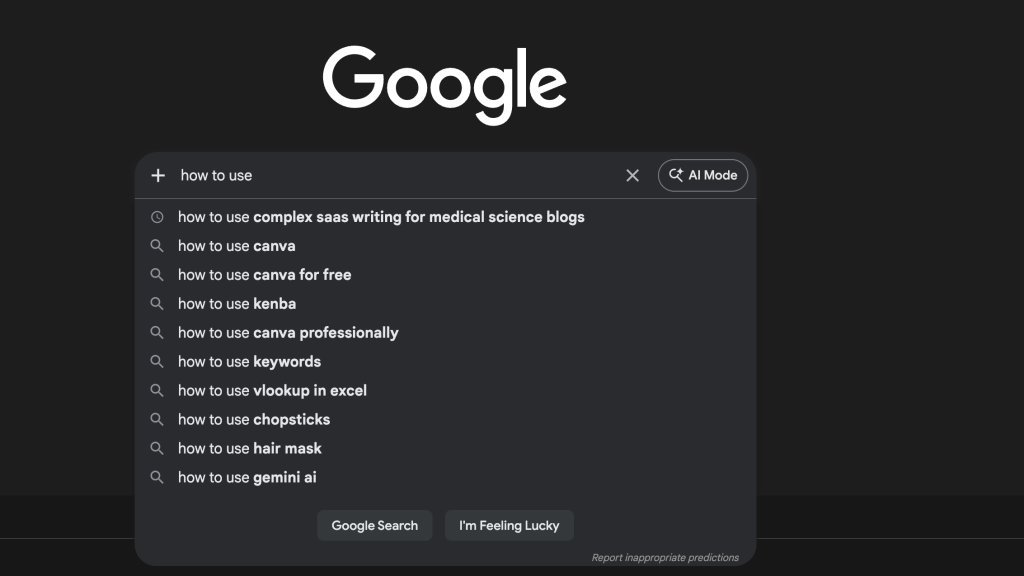
1) Use Google autocomplete to collect subtopics
- Type your primary topic into Google.
- Record autocomplete suggestions.
- Repeat with each suggestion as a new seed.
- Group suggestions by shared meaning.
2) Use “People also ask” to map questions

- Search the primary topic.
- Open “People also ask” questions.
- Collect 30 to 100 questions.
- Group questions into clusters for FAQ pages or supporting articles.
3) Use “Related searches” to expand clusters
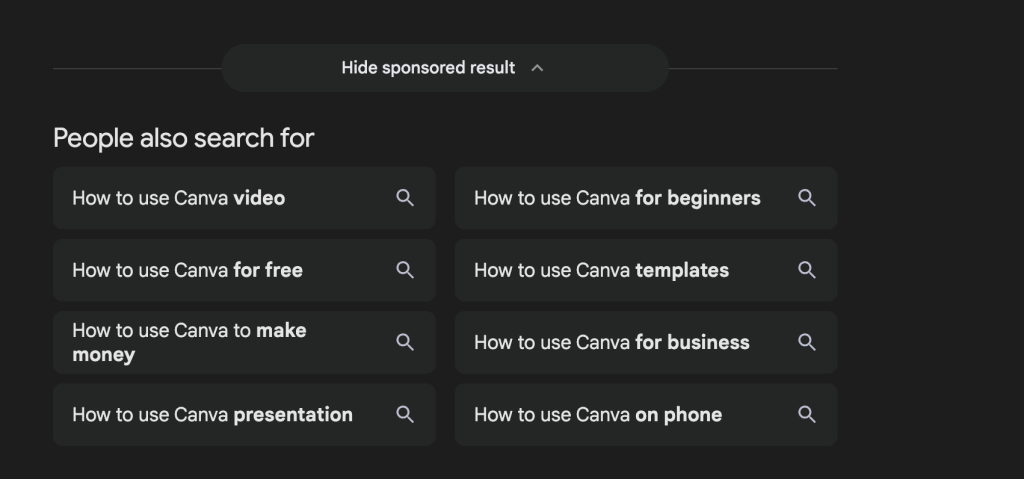
- Scroll to the bottom of the SERP.
- Copy “Related searches.”
- Turn each related search into a subtopic node.
- Connect each node to the closest hub page.
4) Reverse engineer competitor category pages
- List 5 to 10 top ranking sites in your niche.
- Copy their navigation labels and category names.
- Map each category to a hub page on your site.
- Add missing subtopics you can cover better.
5) Reverse engineer competitor table of contents
- Open the top 10 pages for your main keyword.
- Extract H2 and H3 headings.
- Convert headings into subtopics and questions.
- Group them into a cluster map for your own content plan.
6) Build clusters from keyword tool exports
- Use a keyword tool to export keyword lists for your seed terms.
- Filter by intent words like “how,” “best,” “vs,” “price,” “template.”
- Cluster by shared modifiers and entities.
- Assign one primary keyword per page.
7) Use Search Console queries for real user language
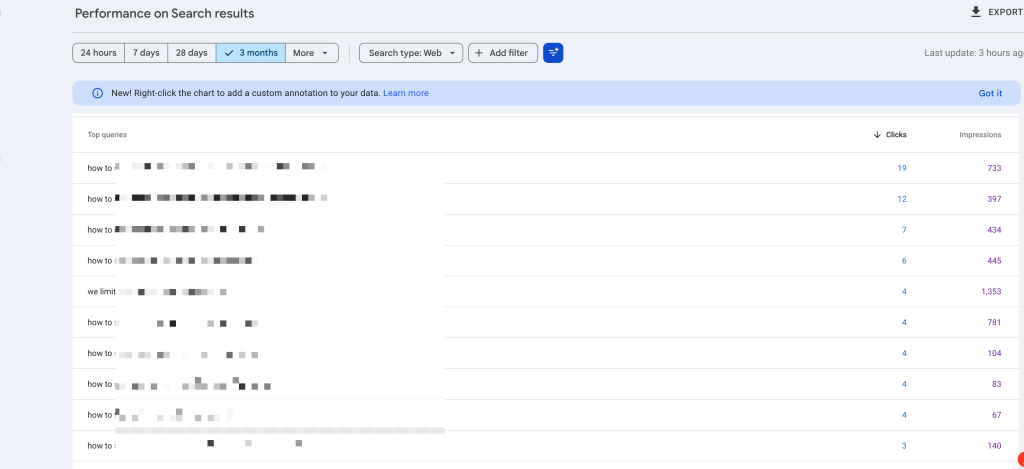
- Open Google Search Console.
- Export queries for the last 3 to 12 months.
- Group queries by topic and intent.
- Create new pages for query groups with impressions but low clicks.
8) Use site search logs to find missing topics
- Export internal site search terms (if you track them).
- Mark terms that lead to exits or zero results.
- Create new supporting pages for those terms.
- Link those pages from the closest hub.
9) Use customer support tickets and sales calls
- Collect repeated questions from tickets, chats, and call notes.
- Rewrite each question as a page title or section heading.
- Group questions into pre-buy and post-buy clusters.
- Use these clusters to plan guides and troubleshooting pages.
10) Use product or service features as topic nodes
- List every feature, use case, and constraint.
- Create one page per major feature or use case.
- Create supporting pages for setup, errors, and best practices.
- Connect all pages to a “feature hub” page.
11) Use entity-first mapping (people, tools, standards)
- List key entities in your niche (tools, brands, standards, roles).
- Create a glossary or definitions hub.
- Create supporting pages that explain how each entity works.
- Link entity pages to relevant how-to and comparison pages.
12) Use a “jobs to be done” intent map
- Write the main job your reader wants to complete.
- List steps in the job from start to finish.
- Create one page per step and one hub for the full process.
- Add pages for tools, templates, and common mistakes.
13) Use a beginner-to-advanced learning path
- Define three levels: beginner, intermediate, advanced.
- List topics that match each level.
- Create a learning hub that links to each level.
- Use internal links to guide readers to the next level.
14) Use a comparison and alternatives cluster
- List common comparisons in your niche (X vs Y).
- List “alternatives to X” queries.
- Create a comparison hub and supporting comparison pages.
- Link comparisons back to core guides and tool pages.
15) Use a problems-and-fixes cluster (troubleshooting map)
- List common problems, errors, and failure points.
- Create one page per problem with steps to fix it.
- Create a troubleshooting hub page.
- Link each fix page to setup and best practice pages.
16) Use content format mapping (guides, checklists, templates)
- Pick 4 to 6 content formats you will publish.
- Assign formats to intents (template for “download,” checklist for “steps”).
- Make sure each hub has at least one checklist or template.
- Interlink formats so readers can move from learning to action.
17) Use a spreadsheet cluster method (fast and clean)
- Create columns: Cluster, Page title, Primary keyword, Intent, URL, Links in, Links out.
- Paste your keyword list into the sheet.
- Sort by shared words and intent modifiers.
- Assign one row per page and one cluster label per group.
18) Use mind map software for visual structure
- Create a central node with the primary topic.
- Add branches for clusters and sub-branches for pages.
- Mark hub pages with a label like “HUB.”
- Export the mind map to a list for your editorial plan.
19) Use AI prompts to generate clusters, then validate with SERPs
- Ask AI for subtopics, questions, and entities for your primary topic.
- Ask AI to group them by intent.
- Validate each cluster with Google results and “People also ask.”
- Remove pages that do not match real search demand.
20) Use a content gap audit to fill missing coverage
- List your current URLs in one column.
- List competitor URLs and their target topics in another column.
- Mark topics you do not cover.
- Add missing topics to your map and link them to the right hubs.
Now you have multiple ways to generate the map. Next, you need a clean structure that search engines and readers can follow.
How to structure your topical map for SEO (hub, cluster, links)
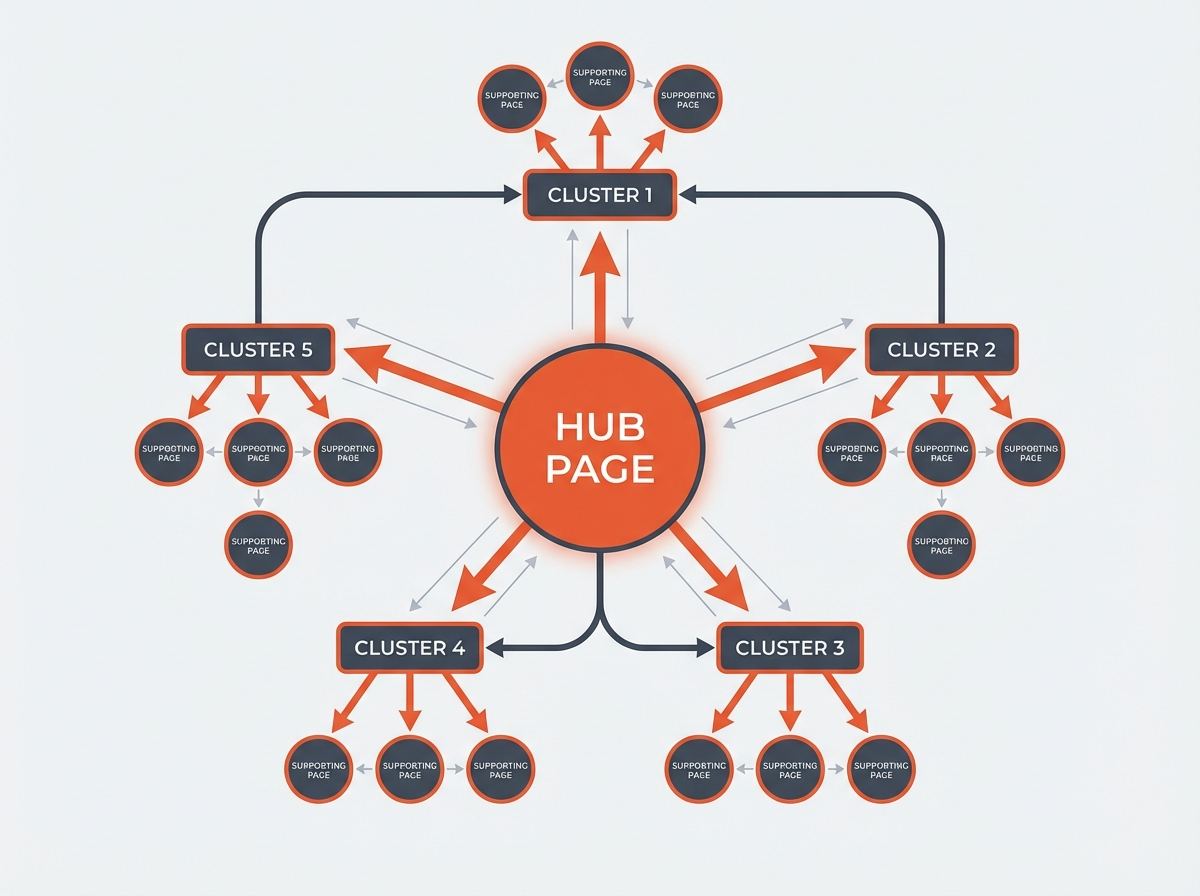
A topical map works best when it matches your site structure. You should use hub pages for broad intent. You should use supporting pages for narrow intent. You should connect pages with internal links that explain the relationship.
Use hub pages as the main entry points
- Create one hub page per major cluster.
- Use a short URL slug for the hub.
- Include a table of contents that links to supporting pages.
- Update the hub when you publish new supporting pages.
Use supporting pages for specific intent
- Write one page per clear intent.
- Avoid mixing “how to” and “best tools” on the same page.
- Answer the main question in the first 2 to 4 lines.
- Add links back to the hub and to 2 to 4 related pages.
Internal linking rules you can apply
- Link from hub to every supporting page in the cluster.
- Link from each supporting page back to the hub.
- Add 1 to 3 lateral links between closely related supporting pages.
- Use consistent anchor text that matches the target page topic.
Next, you will use a simple checklist to keep the map complete and easy to maintain.
The 7 elements of a map (and how they apply to a topical map)
Many map types share common elements. You can use these elements to make your topical map easier to read and easier to manage. Here are the 7 elements of a map and the SEO version of each.
1) Title
- Map meaning: It tells what the map shows.
- Topical map use: Name the niche and the site section, like “Email Marketing Topical Map.”
2) Legend (key)
- Map meaning: It explains symbols and colors.
- Topical map use: Define labels like HUB, SUPPORT, FAQ, TEMPLATE, and COMPARISON.
3) Scale
- Map meaning: It shows distance and size.
- Topical map use: Set scope rules, like “1 hub = 10 to 30 supporting pages.”
4) Orientation (north arrow)
- Map meaning: It shows direction.
- Topical map use: Set a reading path, like “Start at hub, then go to setup, then go to advanced.”
5) Grid or coordinates
- Map meaning: It helps locate items.
- Topical map use: Use IDs, URL slugs, or spreadsheet row numbers for each page.
6) Labels
- Map meaning: It names places and features.
- Topical map use: Use clear page titles and cluster names that match user language.
7) Source and date
- Map meaning: It shows where data came from and when it was made.
- Topical map use: Record data sources (SERP, Search Console, tool export) and last update date.
Next, you will see how this connects to topographic and thematic maps, since many teams use those terms in planning tools.
How to create a topographic map (and how it differs from a topical map)
A topographic map shows land shape and elevation. It uses contour lines to show height changes. A topical map shows topic shape and coverage. It uses clusters and links to show relationships. The build process differs, but the planning logic feels similar.
Steps to create a basic topographic map
- Collect elevation data from a survey, GPS, or public datasets.
- Choose a map scale and area boundary.
- Create contour lines at a fixed interval (like 10 meters).
- Add labels, legend, and coordinate grid.
- Export the map for print or web.
SEO parallel you can use
- Elevation data: search demand and query groups.
- Contour lines: cluster boundaries and intent groups.
- Scale: how deep you go in each cluster.
- Labels: page titles and URL slugs.
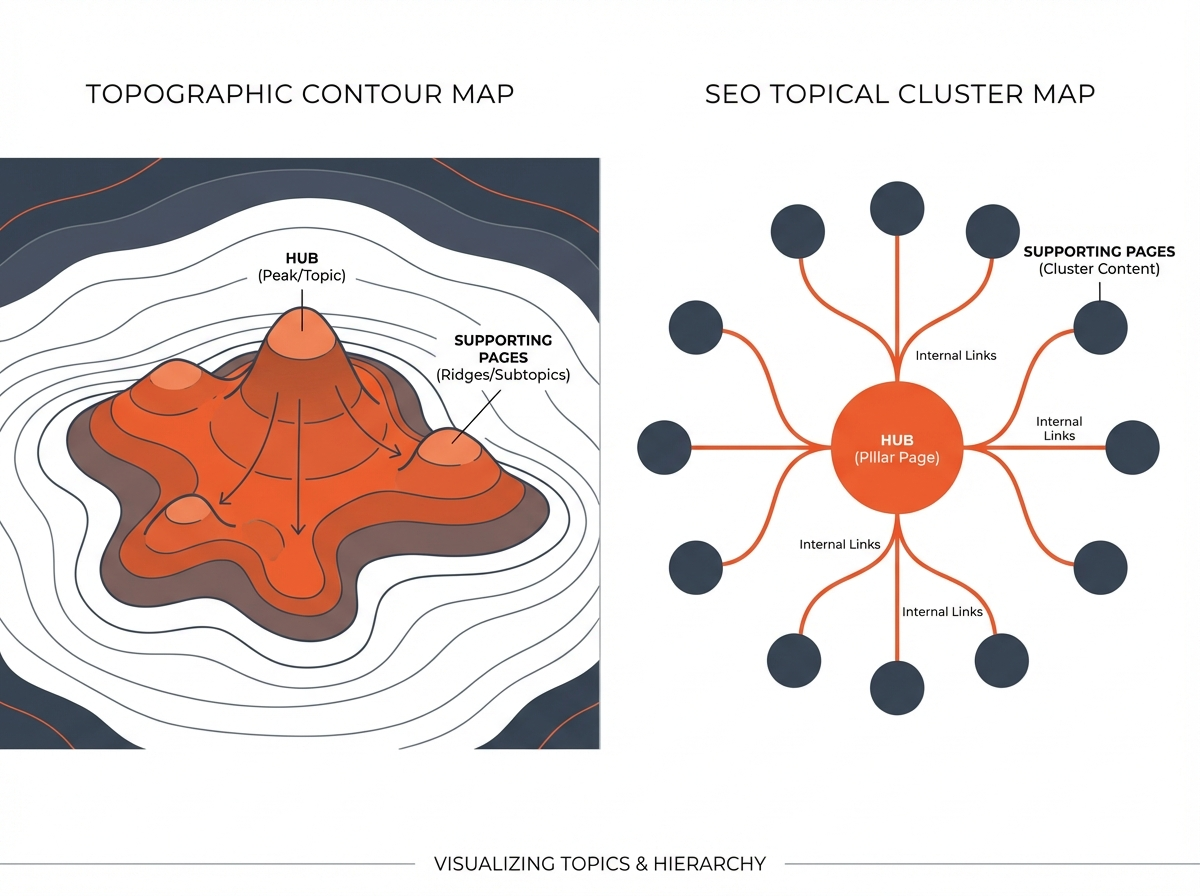
A side-by-side concept graphic showing a topographic contour map on the left and an SEO topical cluster map on the right, with labels for hubs and supporting pages
Next, you need the right tools to create thematic maps and topical maps in a clean workflow.
What software can create thematic maps (and help with topical maps too)
Thematic maps show patterns like density, categories, or change over time. GIS tools support thematic maps. Many of these tools also help you plan topical maps because they handle layers, labels, and structured data. For topical maps, you can also use SEO tools and diagram tools.
GIS and thematic map software
- QGIS: Free GIS tool for thematic maps, layers, and exports.
- ArcGIS: Paid GIS suite for advanced thematic mapping and analysis.
- Mapbox: Web mapping platform for custom thematic map visuals.
- Tableau: Data visualization tool that can create thematic map views.
- Power BI: Business analytics tool with map visuals for thematic layers.
Tools that work well for topical maps
- Google Sheets or Excel: Best for clustering, tracking, and publishing order.
- Mind map tools: XMind, MindMeister, Miro for visual planning.
- Diagram tools: Lucidchart, Whimsical for clean hub-and-spoke diagrams.
- SEO suites: Semrush, Ahrefs, Moz for keyword lists, gaps, and SERP checks.
- Search Console: Best source for real queries and performance signals.
Pick software based on your goal
- If you need speed and control, use a spreadsheet first.
- If you need team alignment, add a mind map view.
- If you need demand and gaps, add an SEO suite export.
Next, you will learn how to turn the map into a publishing plan that produces results.
Turn your topical map into a publishing plan that builds authority
A topical map becomes useful when you publish pages in a smart order. You should publish hubs early. You should publish supporting pages in batches. You should update internal links as you publish.
Recommended publishing order
- Publish 1 hub page for the primary cluster.
- Publish 5 to 10 supporting pages that match the most common questions.
- Publish 2 to 4 comparison pages if your niche has product intent.
- Publish 1 checklist or template page to capture action intent.
- Repeat for the next cluster.
On-page rules that keep the map consistent
- Use one main topic per page.
- Use clear H2 sections that match subtopics in the map.
- Add a short definition near the start for key terms.
- Add internal links in the first half of the page and near the end.
Tracking rules to keep the map accurate
- Track each page with a status: Planned, Draft, Published, Updated.
- Track one primary keyword and 3 to 8 secondary terms per page.
- Track internal links added and received.
- Review the map every 30 to 60 days.
Next, the FAQ section answers the exact questions many readers ask during topical map planning.
Frequently Asked Questions (FAQs)
How to build a topical map?
You build a topical map by picking a primary topic, collecting subtopics from SERPs and tools, clustering by intent, assigning hub and supporting pages, and adding internal link rules.
What are the 7 elements of a map?
The 7 elements are title, legend, scale, orientation, grid, labels, and source/date. You can apply the same idea to label and manage a topical map.
How to create a topographic map?
You collect elevation data, set a scale and boundary, draw contour lines at a fixed interval, add labels and a legend, and export the map.
What software can create thematic maps?
Common options include QGIS, ArcGIS, Mapbox, Tableau, and Power BI. These tools focus on data layers and geographic themes.
How many pages should a topical map include?
Start with 1 hub and 10 to 30 supporting pages for one cluster. Then expand based on rankings, query data, and content gaps.
How do I know if my topical map works?
You should see more impressions for related queries, better rankings across a cluster, stronger internal link flow, and higher time on site for hub pages.
Final Thoughts
A topical map gives your site a clear structure that search engines can parse and readers can trust. Use these 20 Ways to generate Topical map to collect topics, cluster them by intent, and connect them with hub-and-support pages. Then publish in batches, link pages with purpose, and review the map on a schedule. If you want faster results, start today by building one hub page and ten supporting pages from “People also ask,” then expand your clusters based on Search Console data.