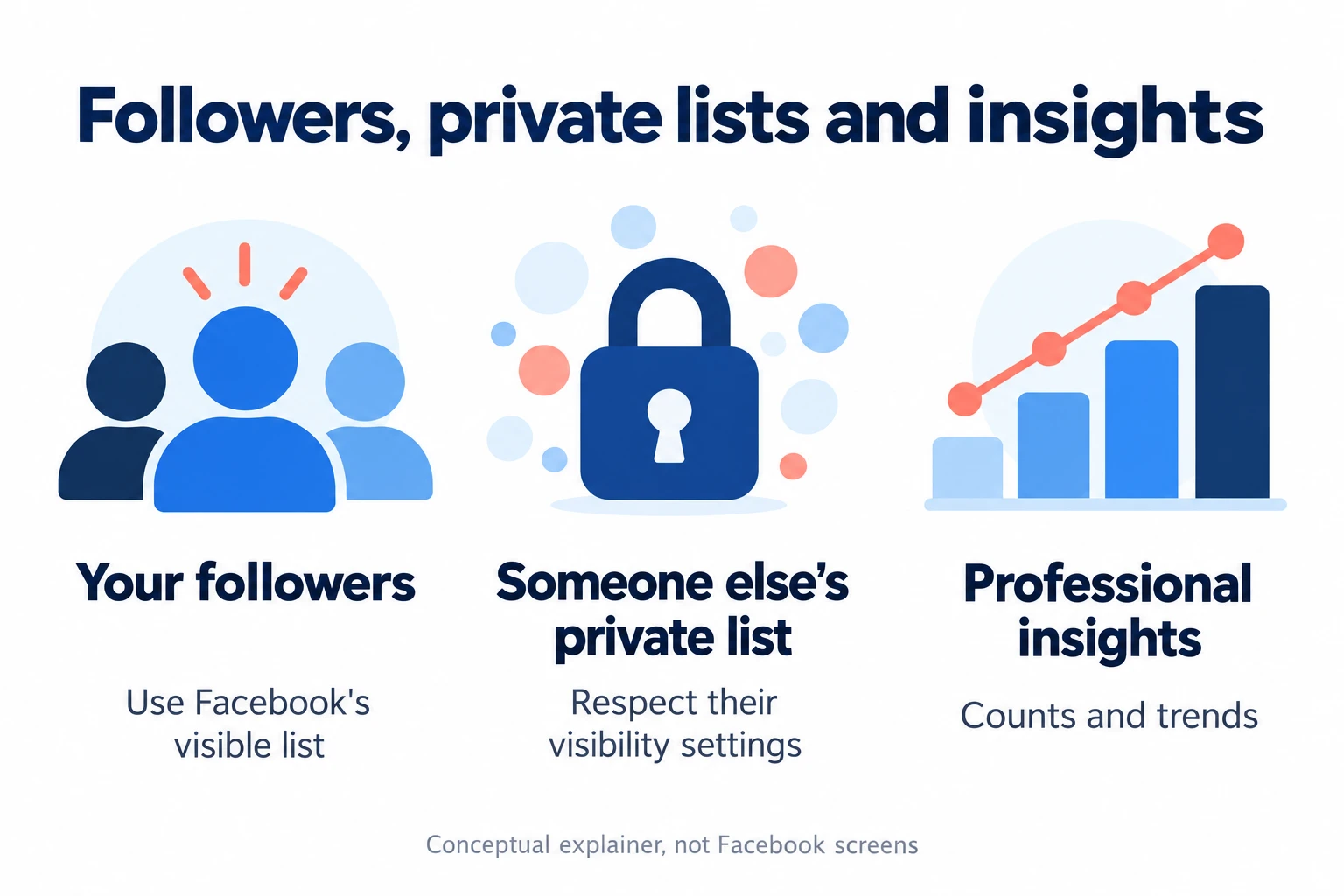
You can check the followers Facebook makes visible on your own profile or Page. You can’t use that list to uncover another person’s private connections, and professional insights don’t identify a secret audience for you.
The phrase “hidden followers” mixes together several different questions. Are you trying to find your own follower list, understand a missing name, or see a list that someone else hasn’t shared?
I’ll separate those situations below, show you the documented desktop route, and explain what to check when your phone or account has a different layout.
Correction: An earlier version of this guide claimed that analytics and third-party apps could reveal hidden followers. It also described an anonymous-following feature without supporting evidence. Those claims were misleading and have been removed.
Key takeaways
- Start with your own profile or Page and the follower controls Facebook actually displays
- Followers, following, friends and profile visitors describe different things
- Hiding your following list from other people doesn’t make you anonymous to the person you follow
- A missing tab or a difference between counts and names doesn’t identify a hidden person
- Creator metrics help you understand performance; they don’t justify guessing private identities
- Don’t give a “hidden follower viewer” your password, login code or browser session
What does “hidden followers on Facebook” actually mean?
Before you change a setting, name the information you’re looking for. A tutorial about the wrong list can send you through a lot of menus without answering your question.
- Your followers: accounts following your profile or Page
- Your following: the people and Pages you follow
- Your friends: your accepted friendship connections
- Someone else’s list: information shown to you as a visitor to their profile
- Profile visitors: people who opened a profile, a separate question from following it
For example, changing who can see the people you follow changes the visibility of your following information. It doesn’t create a tool for reading somebody else’s restricted list.
A number also answers a different question from a list of names. If Facebook displays a follower count, read it as the labeled total on that screen. Don’t assume every other list or analytics panel should contain the same entries.
Can someone follow you anonymously by hiding their following list?
Facebook’s following-visibility guidance says the person you follow can see that relationship. It also explains that they can see your name in their follower list and may receive a notification, depending on their settings.
That directly matters when a guide says choosing a private following audience makes your follow invisible to its recipient. The privacy control limits who else can see your following information. It doesn’t promise anonymity from the person being followed.
I wouldn’t use the lack of a notification as proof either way. A notification setting and a follower relationship are different pieces of information.
Equally, don’t assume a missing name proves that someone has found an anonymous mode. Check what the screen is supposed to show before drawing a conclusion about a particular person.
How to see your own Facebook followers
On a computer
In Meta’s current follower instructions, the desktop route is:
- Open your own Facebook profile
- Choose More below the cover photo
- Open Friends
- Select Followers, if available
Meta describes this view as showing followers who aren’t already friends. It says the option won’t appear when there are no followers and that it doesn’t show which Facebook friends follow you.
Check the profile name before starting, especially if you manage a business Page too. The general Friends area in Facebook’s navigation can lead somewhere different from the Friends section on your profile.
Once the list opens, stick to what it actually shows. Unless the screen provides a date or an explicit sorting option, I wouldn’t call the first name your newest follower.
On iPhone or Android
Open the Facebook app and visit your own profile. Look for a visible follower count or a Followers entry, then open it if Facebook provides one.
If you don’t see a direct entry, inspect the profile’s visible information and menu options. Some layouts place connection information differently. Don’t assume an old screenshot’s “Followed by” or “See all” button is guaranteed to exist on your account.
For the device-specific instructions available to you, open the linked Meta follower help page and select your device. I haven’t run a logged-in iPhone or Android follower-list test for this update, so I won’t present one phone’s menu placement as universal.
If the app shows an error or won’t load the list, you can try your usual browser or check for an app update. That can help with an interface problem. It doesn’t expand your permission to see another person’s information.
How to see who follows a Facebook Page you manage
A Page has a separate route. Meta’s Page follower instructions currently describe these computer steps:
- Click your profile photo and choose See all profiles
- Switch into the Page you manage
- Open that Page from its Feed
- Choose Followers below the cover photo, checking More if necessary
Make sure you’ve switched into the intended Page rather than simply visited it as your personal profile. Management tools and visitor-facing information serve different purposes.
The same help page explains that Page likes are being replaced by follows, with some older Like buttons still appearing during the transition. An old Page-likes tutorial may therefore describe a screen that no longer matches yours.
Keep the scope of each display in mind. A Page’s follower list, a post’s reactions and an insights report aren’t interchangeable lists of the same activity.
Why can’t I see all my followers or find the Followers tab?
A missing control is a troubleshooting clue, not an explanation by itself. Here’s how I’d narrow down the problem.
Check the account and screen first
Are you viewing your own profile, managing your Page, or visiting somebody else’s account? Then check whether the heading says Followers, Following, Friends or something else.
For example, a Following list with 40 entries doesn’t tell you how many people follow you. You have opened the opposite relationship.
Check whether your profile type has changed
Meta says it is gradually removing the Public follower option from regular profiles. Its profile-type guidance distinguishes public following through professional mode from regular profiles that allow friends to follow.
This is why I wouldn’t tell everyone to find a universal Public/Friends toggle. Read your own account’s explanation before changing modes. A creator setting can affect more than the visibility of a single list.
Compare like with like
If you’re comparing two totals, write down their labels and where you found them. For insights, also check the selected period and whether the metric measures a current total or change over time.
Suppose a dashboard shows a gain of 20 followers during a period. That number alone doesn’t name those people, show every person who viewed your content, or prove that 20 unfamiliar accounts are secretly watching you.
If Facebook gives no explanation for a discrepancy, leave the cause open. I can’t diagnose a particular account from its total, and it would be misleading to label the difference “hidden followers.”
Separate a loading problem from a visibility limit
A blank panel accompanied by an error deserves a different response from a working profile that doesn’t offer a list. Refresh or reopen the app for the former. Respect the available view for the latter.
If an error persists, use Facebook’s help or problem-reporting options and describe the screen, device and message you actually see. Avoid sending passwords, login codes or private lists to an unofficial support account.
Can you see someone else’s hidden followers?
You can inspect the follower information that Facebook makes available to you on that person’s profile. If there’s a visible list, you can read that view. A visible total doesn’t guarantee access to all the names behind it.
When a list isn’t shared with you, stop at that boundary. None of the official sources reviewed for this guide documents a method for overriding another person’s follower-list visibility.
I wouldn’t try alternate identities, private-list extensions or a mutual friend’s account to get around it. If there’s a legitimate reason you need the information, ask the person directly.
Don’t infer a relationship from a missing name, a reaction or a suggested friend. Those observations don’t establish a complete list of who follows whom.
If you meant friendship connections, our guide to recently added Facebook friends separates visible profile options from your own connection history. It also explains why list order doesn’t establish when a friendship began.
Do professional mode or analytics reveal hidden followers?
Use professional insights to answer performance questions. Meta describes Professional Dashboard metrics such as reach, interactions, follower gains and losses, and the performance of individual Reels.
Those measures can help you ask useful questions: Did this post reach more people? Did the account gain followers during this period? Which content received more engagement?
They don’t justify turning a count into a named person. A report about non-followers interacting with content doesn’t, by itself, identify everyone who visited your profile or reveal a restricted follower list.
For example, if one Reel brought more followers than another, compare the content and the metric’s definition. Don’t treat that result as evidence about a specific person’s private activity.
I found no documented “View All Hidden Followers” analytics tool in the official material reviewed. Enabling creator features solely to unlock secret identities would be based on an unsupported promise.
Should you use an app that promises hidden Facebook followers?
I wouldn’t hand over account access for that promise. A convincing preview, a paid upgrade or positive reviews don’t verify that a service can reveal information Facebook hasn’t made available.
Watch for requests to enter your Facebook password on another site, share a login code, copy browser cookies, install an unfamiliar extension or paste code into your browser.
Meta has documented malicious apps designed to steal Facebook login details. That doesn’t mean every third-party analytics product is malicious. It does mean you should question access requests attached to an unverified secret-viewer claim.
If you’ve already supplied a password to a suspicious service, stop using it. Change the exposed password through Facebook itself, review logged-in sessions, remove unnecessary app access and enable two-factor authentication. Meta’s linked guidance covers account-protection steps after malicious-app exposure.
Don’t pay a second service to recover a “hidden follower report.” Protecting your account is the useful next step.
How to control your own visibility instead
If your real concern is strangers seeing personal updates, start with the audience of the content you’re sharing. Making a connection list less visible doesn’t, by itself, settle who can read a post.
Meta’s Privacy Checkup explanation covers reviewing profile information, posts, discoverability, account security and connected apps. Its announcement is historical, so follow the current labels shown in your account.
- Check the audience before posting. Decide who should see that particular update
- Review older content separately. Don’t assume a change for your next post has reviewed everything already shared
- Review your profile details. Consider whether contact information, routines or personal plans need to be public
- Review unwanted connections. Choose the control that fits the actual problem
- Review connected apps. Keep only access you understand and still need
For your following-list audience, Meta’s computer instructions point to Settings & privacy, Settings, Audience and visibility, then Followers and public content. Review the audience beside “Who can see the people and Pages you follow?”
If you’re tidying your connections, our Facebook friend-removal guide explains the available methods and their limits. Check who you want to keep before making changes.
For unwanted attention, our Facebook profile-viewing and privacy guide explains the difference between visible interactions and unsupported claims about someone’s intentions.
Frequently asked questions
Can I use Activity log to unlock every hidden follower?
I wouldn’t promise that. Read the category and event that Facebook actually shows in your own log. A record of your activity doesn’t establish that you have a complete current follower list, and it doesn’t unlock another person’s private information.
Does a missing follower notification mean someone followed secretly?
No. The absence of a notification doesn’t establish an anonymous-following feature or explain who is in a list. Review the available follower view rather than inferring a person from an alert you didn’t receive.
Can followers see every post I make?
Check the audience on the post itself. A follower relationship alone isn’t a reason to assume access to everything on your profile. Review the sharing controls rather than trying to infer visibility from a follower count.
Can professional mode show who viewed my profile?
Facebook’s profile-viewing guidance says it doesn’t provide profile-visitor tracking and third-party apps can’t supply that feature. Performance totals shouldn’t be interpreted as a named visitor history.
Does someone viewing my content prove they follow me?
No. A visible interaction tells you about that interaction. It doesn’t automatically establish a follower relationship, the route someone took to your content or their motive.
Should I change my profile to professional mode just to find missing names?
Read what the mode changes before deciding. Choose it if its creator features fit your needs. Don’t enable it on the assumption that it reveals a private list or identifies an unnamed audience.
Final thoughts
Start with the list Facebook makes available on your own profile or Page. Check the account, screen label and profile type before treating a missing name as evidence of anything.
The useful goal is understanding your audience and controlling what you share. You don’t need a secret-viewer app, a guessed identity or access to somebody else’s private list to do that.